⚠ Do now
What to Do First When a Storage Device Is Damaged
The safest first response is usually restraint. A damaged device may still contain readable data, but repeated testing can turn an unstable fault into a more difficult recovery.
Switch It Off
Disconnect the device when it develops a new mechanical sound, disappears repeatedly or has been exposed to impact, liquid or heat.
Do Not Repair It
Avoid initialise, format, CHKDSK, First Aid, firmware updates and recovery utilities until hardware failure has been ruled out.
Record What Happened
Note the last successful use, any sound or smell, the incident that preceded failure and every recovery attempt already made.
Preserve the Current Condition
Do not open a hard drive, swap controller boards, freeze it, shake it or repeatedly connect it to different computers. These actions can alter the evidence available to the engineer and may reduce the amount of recoverable data.
What Physical Damage Means
A storage device is physically damaged when a mechanical, electronic, connector-level or media-level fault prevents it from reading data reliably. In a hard disk drive, the failed component may involve the head assembly, spindle system, controller electronics, firmware service area or recording surface. SSDs and flash devices have no moving parts, but can still fail because of damaged connectors, power faults, controller failure or degraded memory components.
The correct recovery method depends on the device and the fault. Some electronic problems can be investigated without opening a hard drive. Internal mechanical work is performed only when necessary. The purpose is not to make the original device safe for continued everyday use; it is to stabilise it long enough to acquire the best possible image of the accessible storage.
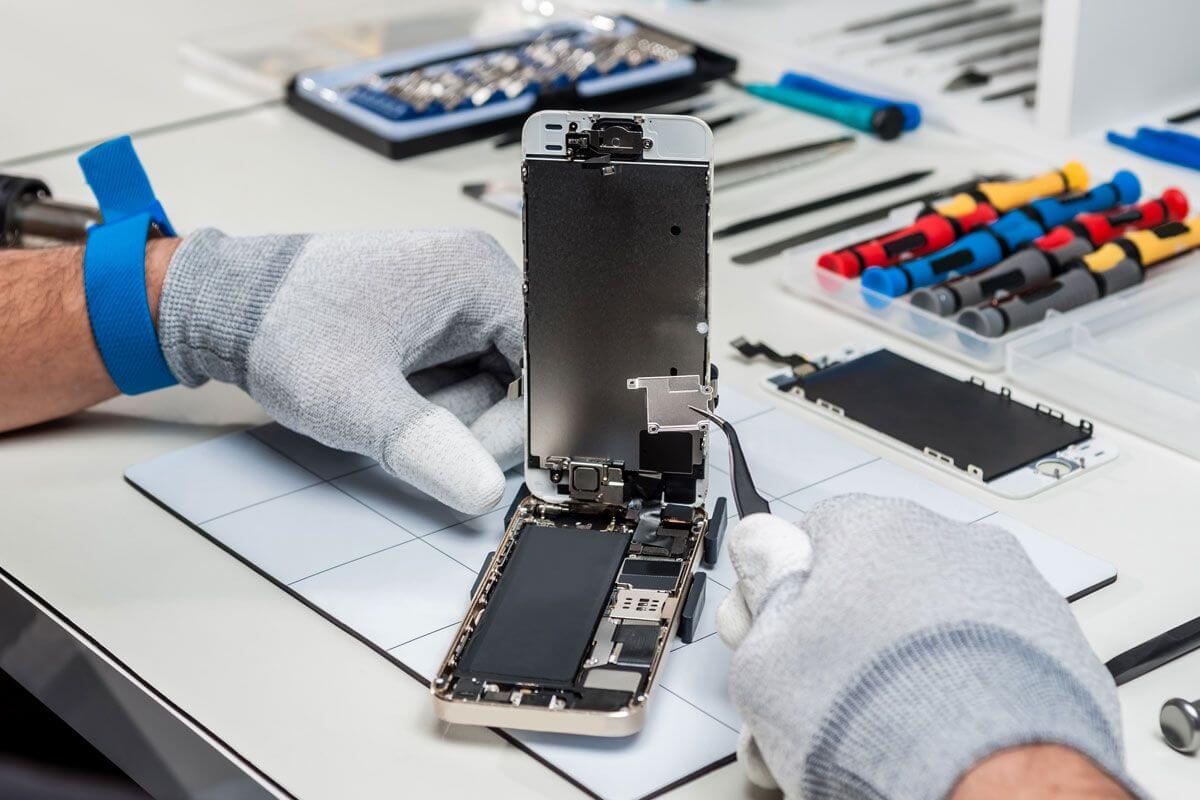
Diagnose
Identify whether the fault is mechanical, electronic, firmware-related, logical or a combination of several failures.
Stabilise
Use the least invasive intervention needed to obtain controlled access to the storage media.
Image
Acquire readable sectors to separate storage before reconstructing folders and validating important files.
Signs That Professional Assessment May Be Required
Symptoms overlap, so no single sound or error message proves a particular component has failed. The following combinations are more concerning when they are new, persistent or associated with data-access problems.
Persistent Clicking or Clunking
The drive repeatedly retries an internal operation and cannot reach a stable ready state.
Stop testingGrinding or Scraping
An abnormal mechanical sound may indicate contact, obstruction or a damaged internal assembly.
High priorityBeeping or No Spin
The spindle may be unable to start, the heads may be stuck or the power path may be compromised.
Keep powered offIntermittent Detection
The device appears and disappears, identifies incorrectly or causes a computer to stall when connected.
Avoid repeated cyclesBurning Smell or Power Event
Electrical damage may affect protection components, power regulation, controller electronics or connected media.
Do not reconnectBroken Port or Connector
Physical connector damage is common in portable drives, USB devices, memory cards and phones.
Prevent movementPhysical Failure vs Logical Data Loss
Correct classification matters because a logical recovery utility can place unnecessary read load on unstable hardware, while physical intervention is inappropriate for a healthy device with deleted or corrupted data.
Physical or Electronic Fault
Common evidence: abnormal sound, no spin, no power, burnt component, broken connector, impact or liquid exposure.
Approach: stabilise the failed hardware, control read behaviour and image accessible media to separate storage.
Important: software cannot repair a mechanical assembly or damaged power path.
Logical Data Loss
Common evidence: deleted files, accidental formatting, damaged partitions, file-system corruption or inaccessible folders on otherwise stable hardware.
Approach: preserve the source, create an image where appropriate and reconstruct data structures without writing to the original media.
Important: stop using the device to reduce the risk of overwriting deleted data.

| Evidence | Physical or Electronic Fault | Logical Data Loss |
|---|---|---|
| Sound or power | May click, beep, grind, fail to spin or fail to power | Usually powers normally without new mechanical sounds |
| Detection | May not identify, may identify incorrectly or disconnect | Often identifies correctly but files or volumes are inaccessible |
| First priority | Prevent further hardware stress and establish stable access | Prevent writes and preserve the current data state |
| Recovery work | Electronic repair, controlled mechanical intervention, firmware access and imaging | Imaging, partition analysis, file-system reconstruction and file carving |
Mechanical Hard Drive Faults
Hard drives combine precision mechanical parts, embedded firmware and controller electronics. Similar symptoms can have different causes, which is why diagnosis should precede donor-part selection or internal work.
What a Clicking Hard Drive Can Indicate
Hard drives make some sounds during normal operation, so an occasional click does not automatically mean the heads have contacted the platter. The more concerning pattern is persistent hard clicking, clunking, beeping or grinding accompanied by failed detection, extremely slow access or an inability to read data.
Possible causes include a degraded head assembly, damaged firmware, insufficient power, a seized spindle, electronic failure or unreadable areas in the drive’s internal service data. The sound alone is not enough to identify the failed component.
Engineering Principles That Change the Outcome
These details matter more than generic promises or an estimated percentage shown before the device has been inspected.
A Sound Is a Symptom
Clicking may result from mechanical, firmware, power or media-access problems. Diagnosis must consider identification behaviour, current draw and read stability.
Donor Matching Is Specific
A matching brand and model is often insufficient. Family, revision, firmware, head map, preamplifier and manufacturing details may affect compatibility.
Imaging Strategy Matters
Weak media is not read like a healthy drive. Important file-system areas may be prioritised while unstable regions are approached with controlled retries and timeouts.
| Fault Area | Possible Evidence | Typical Recovery Objective |
|---|---|---|
| Head assembly | Persistent retry sounds, partial access, severe slowness or failure after impact | Stabilise internal operation and image readable surfaces with suitable donor components where required |
| Spindle or stiction | Beeping, no spin or a drive that cannot complete start-up | Restore controlled rotation without disturbing platter alignment |
| Controller electronics | No power, burnt smell, visible damage or failure after an electrical event | Repair the power path or controller while preserving device-specific adaptive data |
| Firmware or service area | Incorrect identification, repeated busy state, capacity errors or unstable readiness | Gain controlled access to device functions and acquire user data without normal operating assumptions |
| Recording surface | Unreadable regions, severe read instability or contamination following internal contact | Prioritise critical areas and reduce unnecessary retries over damaged regions |
Interactive engineering guide
Explore the Parts Inside a Hard Drive
Select a component to understand its role, the symptoms associated with failure and why the correct diagnosis matters.
Selected component
Platters and Recording Surface
The platters store magnetic data. Their condition has a direct effect on what can be acquired when a mechanical failure occurs.
- Possible signs
- Grinding, scraping, severe read instability or extensive unreadable regions
- Engineering priority
- Prevent further contact and image readable regions with the least additional stress
Do not open the drive or repeatedly power it when media contact is suspected.
Local browser tool
Audio stays on this deviceCapture a Short Drive Sound Safely
A recording can help describe a symptom, but sound alone cannot confirm the failed component. Only record a device that is already running; do not power on an unstable drive solely to make a recording.
Ready to record or load an existing audio clip
Microphone access requires a secure HTTPS page and browser permission. Loading an existing recording remains available if recording is unsupported.
How would you describe the sound?
General guidance
Select the closest description
The tool will explain what the pattern may indicate and the safest next step. It will not diagnose the drive or estimate a recovery percentage.
SSD and Flash Storage Failures
SSDs, USB flash drives and memory cards do not contain spinning platters, so cleanroom work is generally not the starting point. Their failures more often involve connectors, power regulation, controllers, firmware translation layers, memory packages or damage to the printed circuit board.
Recovery may require board-level diagnostics, temporary electrical repair, controller-specific access or direct acquisition from memory components. Even when the device appears completely dead, the memory itself may still contain recoverable information. The difficulty is reconstructing the controller’s translation, error correction, interleaving and wear-management behaviour.
Power or Controller Fault
The device may draw abnormal current, become hot, fail to identify or disconnect under load. Repeated connection can worsen an electrical fault.
Broken Connector
Movement can tear pads or traces from a small board. Keep the device still and do not hold a damaged connector in place while powered.
Memory Degradation
A controller may be unable to correct increasing bit errors, producing slow access, read-only behaviour, missing capacity or complete failure.
Translation Failure
The raw memory layout is not the same as the files a user sees. Recovery may depend on reconstructing how the controller distributed and transformed the data.
Dropped, Liquid-Damaged, Heat-Affected and Electrically Damaged Devices
Environmental incidents often create more than one fault. A dropped external drive can suffer mechanical damage as well as a broken USB bridge. Liquid exposure can affect connectors, electronics and internal surfaces. Heat, smoke and electrical events can damage protective components before reaching the storage controller itself.
Dropped or Impact-Damaged Storage
Whether the device was operating at the time matters. A powered hard drive has heads positioned close to moving platters, while an unpowered drive may still suffer spindle, enclosure, connector or parking-system damage. Do not shake the device to listen for loose parts and do not repeatedly reconnect it to check whether it has recovered.
Liquid and Flood Exposure
Disconnect power and avoid heat, rice, household cleaning chemicals or repeated testing. Do not assume a device is safe because the outside has dried; conductive or corrosive residue can remain on electronics and connectors. Keep removable batteries disconnected where this can be done safely without dismantling the storage device.
Heat, Smoke and Electrical Events
Photograph the device before cleaning it and preserve any damaged power adapters or enclosures that may help explain the event. Do not reuse a suspect power supply with replacement media. Soot and residue should be handled carefully because cleaning methods differ between external contamination, board damage and internal hard-drive exposure.
Tell Us About Previous Attempts
Prior board swaps, internal opening, soldering, software scans or work performed by another provider can materially change the recovery plan. Full disclosure helps the engineer avoid repeating a harmful step and identify missing original components.
When Controlled-Environment Hard Drive Work Is Required
A controlled environment is required when a conventional hard drive must be opened to inspect or replace internal components. It is not automatically required for every failed drive. External power faults, some controller problems and logical failures can often be investigated without opening the internal drive assembly.
When internal work is necessary, the objective is temporary stability for acquisition—not a permanent repair. Suitable donor components are selected, the device is handled under controlled conditions and read behaviour is managed while data is imaged to separate storage.
Controlled Internal HDD Procedures
Wildfire uses an ISO Class 100 cleanroom environment for internal hard-drive procedures where contamination control is required.
Fault-Led Intervention
Donor Compatibility Review
Controlled Imaging

What Useful Engineering Evidence Looks Like
Generic statements such as “the drive is damaged” do not help a customer understand the work. A meaningful assessment should connect the reported symptoms to observed technical evidence and explain why a particular recovery path is recommended.
What We Record During Assessment and Recovery
Device Identity
Model, serial, capacity, interface, enclosure or bridge details, firmware identifiers and original components supplied.
Observed Behaviour
Power state, identification, current draw, sound pattern, stability, visible damage and response under controlled access.
Intervention Record
Repairs, donor components, firmware access, board work or controlled internal procedures performed to obtain access.
Imaging Evidence
Readable and unreadable areas, stability over time, prioritised regions and whether degradation or media damage affected acquisition.
Reconstruction Findings
File-system condition, missing metadata, partial files, carved data and the relationship between physical unreadability and damaged files.
Validation
A recoverable-file list, representative file checks and clear disclosure of known limitations before final delivery.
Technical review: Viktor Dante, Data Recovery Engineer and Owner, Wildfire Data Recovery
This page is written as practical triage and process guidance. Device-specific prognosis, price and turnaround are provided only after assessment. Last reviewed 11 July 2026.
Actions That Commonly Make Recovery Harder
| Avoid | Why It Can Be Harmful | Safer Alternative |
|---|---|---|
| Repeated power cycles | Unstable heads, media or electronics may deteriorate with every start-up attempt | Switch off and document the last observed behaviour |
| Repair or recovery software | Long scans can place sustained read load on hardware that is already unstable | Rule out physical failure before scanning |
| Initialise, format or rebuild | These actions can alter metadata or write new structures to the source | Preserve the original state and work from an image |
| Opening a hard drive | Contamination, handling damage and lost alignment can complicate internal recovery | Leave the original fasteners, labels and components intact |
| Freezing, heating or striking | Condensation, material changes and physical shock can introduce additional damage | Keep the device dry, stable and near room temperature |
| Unverified donor swaps | Modern controllers may contain unique adaptive information and incompatible parts may worsen the fault | Keep every original board, chip and enclosure component with the device |
What Determines Price and Turnaround
Physical recovery cannot be quoted responsibly from a symptom alone. Two devices that both click may require completely different work, donor parts and imaging time.
Device and Architecture
HDD family, SSD controller, flash layout, capacity, encryption and RAID configuration affect the tools and expertise required.
Fault Severity
Electronic repair, internal mechanical work, damaged surfaces and unstable memory each involve different risk and labour.
Donor Components
Availability, compatibility and the number of donor devices required can affect cost and scheduling.
Data Volume and Condition
Large devices, extensive unreadable areas and damaged file systems may require longer acquisition and reconstruction.
Service Priority
Standard, priority and emergency workflows allocate engineering time differently.
Previous Attempts
Missing components, failed donor swaps, internal contamination or altered firmware can add diagnostic and remediation work.
Quote After Assessment
Wildfire provides the proposed recovery path, expected service level and applicable terms after assessing the device. Any No Data, No Fee representation should remain consistent with the written service agreement and clearly stated exclusions.
Recovery Workflow
How a Physical Recovery Is Managed
The workflow is adjusted to the device and failure. These stages keep diagnosis, intervention and data validation separate.
1
Intake and Incident History
We record device identity, symptoms, the circumstances of failure, required data and every previous recovery attempt.
2
Non-Destructive Assessment
Initial checks examine power behaviour, identification, visible damage and safe communication without unnecessary sustained reads.
3
Recovery Plan and Quote
The proposed method, likely constraints, donor requirements, service priority and applicable terms are explained before chargeable recovery proceeds.
4
Stabilisation
Electronic, firmware or mechanical intervention is performed only to the extent required for controlled acquisition.
5
Media Imaging
Readable data is acquired to separate storage with error handling, prioritisation and read strategy adapted to the device’s stability.
6
Reconstruction and Validation
Partitions, file systems and files are reconstructed from the image. Recoverable data is listed and representative files are checked before delivery.
Practical Answers
Physical Damage Recovery FAQs
These answers provide general guidance. The condition of the individual device determines the actual recovery path.
Often, yes. The result depends on the failed component, the condition of the recording surfaces, whether the drive can be stabilised and what was done after the failure. A responsible prognosis requires inspection rather than a percentage based only on symptoms.
No. Persistent clicking can be associated with a head fault, but firmware, power, service-area and media-access problems can produce similar retry behaviour. Switch the drive off when the sound is new and accompanied by failed detection or data-access problems.
Not when the device is making abnormal sounds, disconnecting, freezing the computer or showing signs of physical, liquid or electrical damage. Repeated start-up attempts may worsen an unstable fault.
No. Controlled-environment work is used when the internal hard-drive enclosure must be opened for internal inspection or component replacement. External electronics, power faults, firmware problems and logical damage may be handled without opening the drive.
Disconnect it, avoid shaking or repeatedly testing it and note whether it was running at the time. A drop can damage the internal HDD, the USB bridge, the connector or several parts at once.
It may be possible, but do not power the device or apply heat. Liquid can leave conductive or corrosive residue even after the outside appears dry. Tell the engineer what the liquid was, how long the device was exposed and whether power was present.
Similar sounds can arise from different faults. Price depends on the device architecture, failed components, donor availability, previous attempts, media condition, data volume and service priority.
Yes. Supply every original and donor component, previous report and detail of work performed. Prior internal opening, board swaps, firmware changes or extended scans can materially affect the next recovery plan.
Protect the Device Before Testing It Again
Tell Wildfire what happened, what the device is doing now and which data matters most. We will advise the safest submission and assessment path.
Device-specific outcome, price and turnaround are confirmed only after assessment. No Data, No Fee is subject to the applicable service terms.
Brisbane recovery team
Standard and priority options
Confidential file handling