⚠ Do now
SD & memory card
data recovery
Brisbane.
Formatted, deleted, corrupted or not showing up? Switch the camera or phone off, take the card out and stop using it. Then tell us which photos and videos matter most.
SD, microSD, CompactFlash, CFast and CFexpress cards from cameras, phones, drones and dashcams. A card holds your photos and video in memory managed by a controller sealed inside it, and a format or a card error usually changes the index, not the pictures. Tell our Brisbane laboratory what happened and which files matter most. Customers anywhere in Australia can post the card in.
See the recovery levels and guide prices- Free eligible standard diagnosis
- Written quote before recovery
- Express post-in label
- Your priorities guide the work
- 01Label shell
- 02Lock switch, a request not to write
- 03Controller, the card’s small processor
- 04Memory chip, where your photos are kept
- 05Contacts, which carry power and data
Drag the slider to take the card apart and put it back together.
In the Learn section
Part 1 of 4
Your photos, as charge.
Your photos and videos are stored as electrical charge in the memory chip. The controller keeps the map that says where each piece of each file sits, and the gold contacts carry everything to the camera or reader.
FreeAssessment of your card
$0Upfront on Levels 1 and 2
FormattedOften still there until overwritten
Image firstThe card is copied before any file work
Australia-widePost your card in from anywhere
The 20-second answer
Can data be recovered from an SD card?
Often, yes. A card keeps your photos and video in flash memory, and a format, a card error or a "card cannot be used" message usually damages the index that points to them, not the pictures themselves. Physical faults are harder because most microSD cards seal the controller and memory in one package. What ends a recovery is new photos or footage recorded over the old ones, a full overwrite format, or a crack through the memory. That is why taking the card out now matters more than what went wrong.
Take the card out and keep it out
Switch the camera, phone or dashcam off first, then remove the card. Every new photo, clip or loop recording can replace what you need.
Copied first, then recovered
The card is read once, as gently as its condition allows, to separate storage. All file work happens on that copy, never on the original.
Your files, then the price
The free assessment ends with a written quote. You decide before any chargeable work starts, and Levels 1 and 2 have no upfront fee. See the levels →
01 Symptoms · start here
SD card not showing up, corrupted or formatted?
Choose the symptom closest to what you have observed. Your selection opens guidance for that fault and carries into the enquiry further down the page.
It still shows up, but photos are missing or it asks to format.
Act quickly · stop using itThe card is detected, but photos, videos or folders are missing, it was formatted in a camera, phone or computer, or the computer asks to format it. Recovery software can sometimes work after a format, but only on a card that reads steadily. If software found nothing, or the card slowed down or dropped out while it ran, stop: every extra pass adds stress and risk.
Cancel any format prompt. Do not take more photos on it, install recovery software onto it or save anything back to it.
It does not show up, shows 0 bytes, or it is broken.
Laboratory workIf nothing appears, it shows 0 bytes or the wrong size, or the card is cracked, bent or snapped, the fault usually sits in the controller, its firmware or the connections. Software cannot reach the files until the laboratory has established a safe way to read the memory.
Stop re-inserting it into other readers, cameras and phones, and do not straighten or tape a bent card.
Not one of those two? Choose the closest symptom below.
I don’t know which card I have
Choose where it came from. You do not need to open the device or read the label to begin an enquiry.
The camera, phone or drone model is a useful starting point.
Compare card types →Know the brand? Pick the logo on your cardLook it up in the library →
Your card’s brand
Pick the logo on your card
Which one is yours?
Tap the product name on your label. It sets the device; then choose the symptom below.
Look it up in the library →Choose a symptom to see your next step.
Before you try anything
Before you try recovery software.
Everything here comes from the assessments that follow. The aim is simple: leave the laboratory something that can still be read.
Safe to do
- Switch the camera, phone or dashcam off, then take the card out and put it somewhere safe and dry.
- Slide the lock switch on an SD card to Lock, if it has one.
- Note the camera, phone, drone or computer it was in and the exact message you saw.
- Keep every broken piece, the card case and any adapter together in one bag.
- Keep legitimate passwords or BitLocker keys available, but do not send them in an enquiry.
Do not do this
- Format it, or accept a "scan and fix" or "format disk" prompt.
- Keep shooting, recording or copying new files onto it.
- Run CHKDSK, diskpart or "remove write protection" tools, or SD Card Formatter, or save recovered files back onto it.
- Force a card into a slot it does not slide into freely, especially a CompactFlash card.
- Factory reset a phone whose card was set up as internal storage, or tell the phone to forget the card.
- Put it in rice or dry it with heat.
- Keep re-inserting it into different readers, cameras and phones.
Stop and call first
- The card is wet, burnt, cracked or bent.
- The footage may be evidence in a crash, dispute or investigation.
- The card was set up as phone storage, or it is locked and you are unsure which password you hold.
- It is the only copy of an event that cannot be repeated.
From the Wildfire lab
Our latest memory card research, straight from the bench.
Real card recoveries from our lab, written up so you can see what was done and why.


02 Costs
How much does SD card data recovery cost?
Every job is customised to your needs. These guide prices explain the fee structure; the laboratory confirms the level, scope and success criteria in your written quote.
All amounts are Australian dollars. Main fee figures exclude GST; GST-inclusive amounts are shown alongside them. Standard assessment: free. Level 5 is quoted for the individual case. Any optional priority service, return media or additional scope is separately itemised before approval.
Straightforward recovery
For a card that still reads normally, where the photos and videos are still in its memory and only the card’s index has changed.
Paid upfrontPaid only on success
Paid upfront$0No upfront recovery fee
Paid only upon success$280excl. GST · $308 incl. GST
Total if successful$280excl. GST · $308 incl. GST
No Data, No Fee. There is no upfront recovery charge; the $280 + GST is payable only when the agreed success criteria are met.
What a Level 1 card looks like

Deleted photos, card still works
The photos are still on the card; only its list of files says they are gone. We copy the whole card once, then search the copy for photo and video data and rebuild the files, with their names where the card still holds them.

Formatted by mistake, not used since
A quick format writes a new, empty index and leaves the photos where they were. We copy the card, then rebuild the old folders from what the format left behind. It stays simple only if nothing was recorded after the format.
The assessment sets the level; it is never an automatic classification based on capacity or a symptom.
Discuss my recoveryMore involved file recovery
For a card that still reads, but whose file system is damaged or whose photos and videos need rebuilding, without board or chip-level work.
Paid upfrontPaid only on success
Paid upfront$0No upfront recovery fee
Paid only upon success$520excl. GST · $572 incl. GST
Total if successful$520excl. GST · $572 incl. GST
No Data, No Fee. There is no upfront recovery charge; the $520 + GST is payable only when the agreed success criteria are met.
What a Level 2 card looks like
Shows as RAW or asks to be formatted
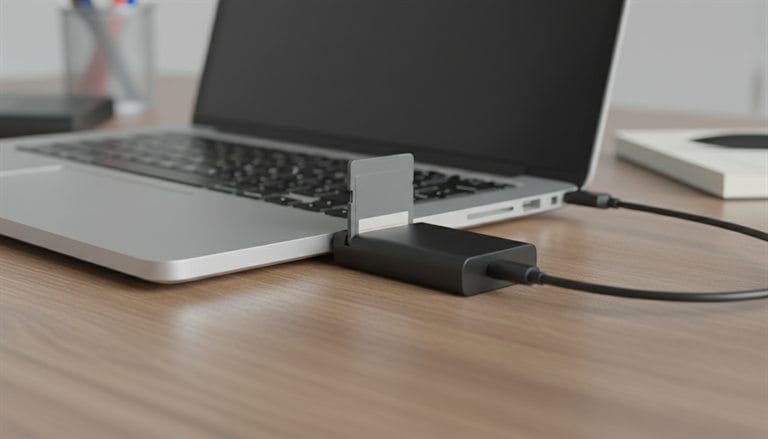
The card reads, but its index is damaged, often because it was pulled out mid-write or the power dropped. We copy the card, then rebuild the damaged file system by hand or recover the files without it, checking folder by folder. This takes engineer time, not a one-click scan.

Videos cut short when the battery died
The footage is on the card, but the camera never finished writing the part of each file that tells a player how to open it. We rebuild that part clip by clip, often using a sample clip from the same camera and settings. The work grows with the number of clips.
If the assessment finds work outside Level 2, the revised scope and fees are explained before approval.
Discuss my recoverySpecialist intervention
For a card that is failing or partly overwritten, where the reading itself needs specialist equipment and the results need careful reconstruction.
Paid upfront · $399Paid only on success · $650
Paid upfront$399excl. GST · $438.90 incl. GST
Paid only upon success$650excl. GST · $715 incl. GST
Total if successful$1,049excl. GST · $1,153.90 incl. GST
$399 + GST is paid upfront for the approved specialist work. No Data, No Fee applies to the success fee: the additional $650 + GST is charged only upon success. If recovery is unsuccessful, the $650 is not charged; the upfront work remains chargeable once begun.
What a Level 3 card looks like
Worn card that slows down or drops out
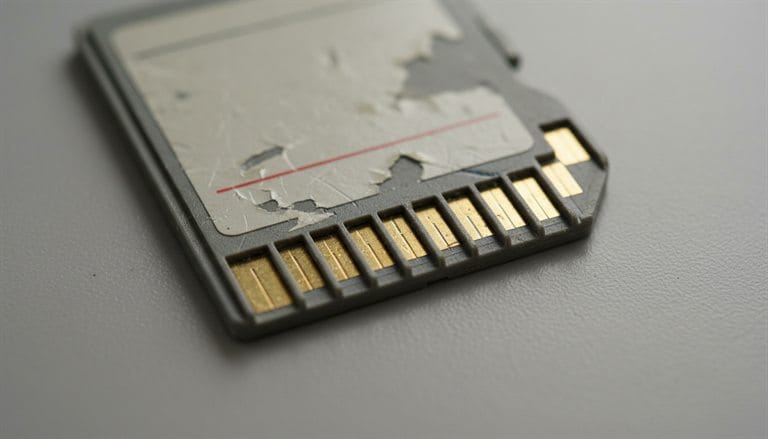
The memory is wearing out, so every read risks losing more. We copy it on specialist hardware that reads gently, retries weak areas in a controlled order and maps what will not read, before any file work starts. The copy alone can take many hours, and some areas may never read.

Formatted and reused, or a fake card
New photos have been written over part of the old ones, or a counterfeit card has overwritten files it claimed to have room for. We copy the card, then piece together what survives, separating complete files from partial ones. Results are often partial, which is why this level carries an upfront fee.
Your quote identifies the actual work for your card; not every job needs every procedure.
Discuss my recoveryComplex flash recovery
For a card whose controller has failed, so the memory has to be read directly, through the chip itself or through test points on a sealed card.
Paid upfront · $699Paid only on success · $1,500
Paid upfront$699excl. GST · $768.90 incl. GST
Paid only upon success$1,500excl. GST · $1,650 incl. GST
Total if successful$2,199excl. GST · $2,418.90 incl. GST
$699 + GST is paid upfront for the approved specialist work. No Data, No Fee applies to the success fee: the additional $1,500 + GST is charged only upon success. If recovery is unsuccessful, the $1,500 is not charged; the upfront work remains chargeable once begun.
What a Level 4 card looks like

Not detected, with a separate memory chip
The controller, the card’s tiny processor, has failed, so nothing can talk to the memory. We open the card, remove the memory chip and read it directly, then work out how that controller scrambled and spread the data before any file can be rebuilt. The chip work cannot be undone.

Dead microSD card
Almost every microSD card is one sealed package, so there is no chip to remove. We expose microscopic test points under the label and connect to the memory through them, then rebuild the data layout for that exact card. Hours of microscope work come before the first photo is seen.
The upfront fee funds the agreed recovery attempt; it does not guarantee readable data.
Discuss my recoverySpecialist or combined faults
For cards with physical damage, several faults at once, encryption tied to another device, or recovery that has to stand up as evidence.
Upfront and success amounts set out in your quote
Level 5 rangeFrom $2,800 to over $6,000 + GST
Call 1300 806 557From $3,080 to over $6,600 incl. GST. Every Level 5 job is quoted in writing for the individual card, with the upfront amount and the success fee set out before any work starts.
What a Level 5 card looks like
What can put a job at Level 5
Snapped, cracked or water-damaged card
The break may have cut tracks on the board or cracked the memory itself. We examine the fracture under magnification, repair or bypass broken connections, and often combine that with test-point reading. If the crack runs through the memory, part of it may never read.

Phone storage card with a second fault
If an Android phone set the card up as internal storage, the card is encrypted with keys kept in that phone. We need the phone, working, as well as a full read of the card, and often a hardware repair first. Without both pieces the data cannot be read.
A crack through the memory
A snapped or cracked card where the break reaches the memory or its connections, needing repair and reading around the damage.
Fire, heat or water damage
Cleaning, corrosion treatment and board-level repair before the card can be read at all.
Two faults at once
For example, a failed controller on a card that is also physically damaged, so both have to be solved in the right order.
Encryption tied to another device
Cards encrypted to a phone, camera or security system, where the device or its keys must be recovered as well.
Forensic rebuilding
Footage or files needed as evidence for police, insurance or court, recovered with a documented chain of custody, verification hashes and a written report.
Partly overwritten video
Dashcam or security footage rebuilt fragment by fragment, where the clip that matters was partly recorded over.
Professional or older formats
CFexpress, XQD, CFast, Memory Stick and other formats that need specialist adapters or research into an unfamiliar controller.
Earlier failed attempts
A card damaged further by a previous repair, a forced reader or an earlier recovery attempt elsewhere.
Level 5 is quoted for the individual case. The quote sets out the upfront amount, the success fee and the agreed outcome before work starts.
Why do Levels 3, 4 and 5 carry upfront fees?
A complex recovery can require substantial work before the card produces a usable image or a single verified file. The upfront fee pays for the specific preparation and recovery work you approve. Those resources are committed even when the underlying damage ultimately prevents recovery.
1. Specialist diagnosis and preparation
Beyond the free standard assessment, an approved recovery can require detailed fault isolation, connector or board work, and device-specific preparation. An engineer must establish a controlled way to read the memory rather than simply run a file scan.
2. Work that cannot be undone
Where required, compatible parts and adapters must be sourced and matched. Chip removal, connector rebuilds and test-point work on monolithic cards use specialist time and cannot be reversed. Those costs have been incurred even if another fault limits the final result.
3. Rebuilding the data layout
Raw memory read from a chip is scrambled, error-corrected and spread across the chip by the controller. Rebuilding usable files means working out that layout for the exact device. This is work on a particular damaged device, not a standard software download.
4. Environmental damage and encryption
Fire or flood damage may require a tailored cleaning and electronics plan. Encrypted sticks can involve preserving the original hardware, checking unlock material and verifying the recovered result. Complexity comes from the actual combination of issues, which is why Level 5 is individually quoted.
Your approval comes first. We identify your priority files, define what success means and explain the work, upfront amount and conditional success fee. We customise each job to suit your needs. If the scope changes, further chargeable work needs a revised agreement.
The upfront fee is not a success guarantee. Once the approved work begins, that component is non-refundable under the recovery terms, even if no data is recovered. A success fee is charged only when the agreed success criteria are met. For Levels 1 and 2, there is no upfront recovery component.
Read the recovery fee conditions or call 1300 806 557 to discuss your priorities before approving work.
A fair question
Is it worth paying for SD card data recovery?
Not always, and we would rather say so up front. It depends on what the files are worth to you and what state the card is in. This is the same advice we give over the phone before anyone has spent a dollar.
When trying software first is reasonable
The card is detected, reads at normal speed and photos were simply deleted. Check the phone or camera gallery, any cloud backup and the computer you last copied to first, because that is free. If you use recovery software, install it on another drive and save results elsewhere. Stop if it finds nothing or the card slows down or disconnects.
When the laboratory earns its fee
The card is not detected, shows 0 bytes, is cracked, or its photos and videos come back corrupted. Software cannot reach memory behind a failed controller or a broken connection, and repeated scans make a weak card worse. The free assessment makes this decision cheap: you get a written quote before you commit.
When we will tell you to keep your money
The photos are already in a cloud library or on another device, or the files are not worth the quote to you. It happens, and we would rather say so. If the assessment shows the files are not recoverable or not needed, you have spent nothing on recovery.
03 Process
How SD card recovery works.
Six stages, each one explained before the next begins. Nothing chargeable starts without your written approval.
01ASSESS
Assess
Record the card, the camera, phone or dashcam it came from, what happened and your priority files. Separate logical, electrical and physical faults.
Free · eligible standard assessment02QUOTE
Quote
Receive the proposed scope, fees and timing in writing.
In writing03APPROVE
Approve
Choose whether to proceed. An enquiry does not approve chargeable recovery work.
Nothing chargeable before this04RECOVER
Recover
Establish a safe read path, copy the card to an image and rebuild folders, photos and video from that copy.
Worked from an image05VERIFY
Verify
Check the agreed priority files open properly and explain anything incomplete before delivery.
You see the file list before any success fee06RETURN
Return
Your recovered files are delivered in the way agreed in your quote, and the original card is returned or handled as you choose.
Delivered as agreed04 Laboratory
Brisbane engineers and published SD card recoveries.
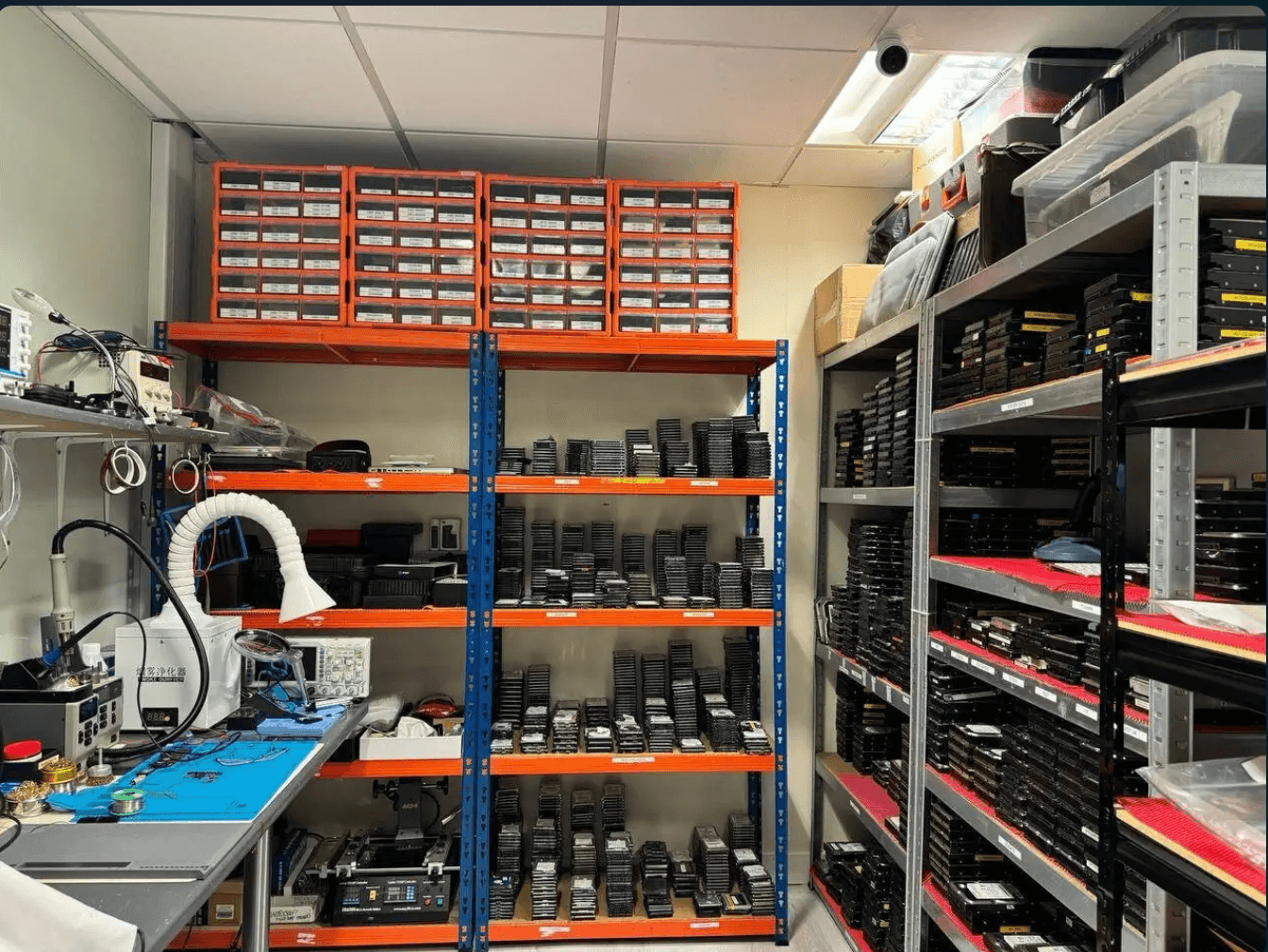
Diagnostic hardware, controlled imaging and the engineers who run it. The photographs in this section were supplied by Wildfire.
The engineers

Viktor (Dante) Burcevski
Executive Data Engineer / Owner
Board-level recovery, forensic extraction and complex storage cases.

David Williams
Co-founder · mobile & encryption
Part of Wildfire’s founding team.
Published recovery work
Published memory card cases.
Both case files concern SD cards. Their recorded outcomes do not establish what survived on your card. Real photographs of these jobs will be added when the laboratory supplies them.
01
Sony SD card initially described as formatted: 70 priority videos
Seventy priority recordings were rebuilt and decoded; the published outcome concerns that nominated set.
02
SanDisk SD card with an empty photo folder: videos and photos
The photo folder appeared empty and the first examination showed a RAW file system. The case records 27 complete videos from the latest session and 28 photos, with limitations on older material and dates.
Recovery equipment
One controlled workflow. Many kinds of storage.
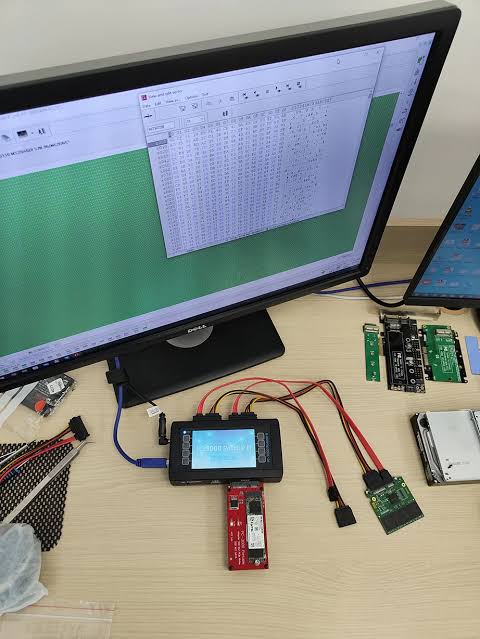
Cards go through the same diagnostic and imaging bench as the laboratory’s other storage work. These photographs show that equipment on other devices; the assessment establishes the method and scope for your card.

What our clients say on Google
4.8 from 96 reviewsRead them all →
“Great communication with fast service, managed to retrieve all family photos and videos off a broken hard drive.”
“This was my first time needing data recovery, and I’m so glad I went to Wildfire Data Recovery. After spilling coffee all over my laptop, I thought everything was lost—but Viktor was incredibly reassuring and got to work right away. He and his team are extremely fast, professional, and communicative throughout the process.”
“Excellent Data Recovery and re set up. Viktor goes above and beyond to explain everything regardless of how long it takes. After disasters through the years gone by with other so-called experts, it was stessfree and a relief to discover Wildfire. Excellent pricing and communication. ☆☆☆☆☆ Highly recommend 👌”
“Viktor is an absolute legend! I hit the worst-case scenario with BitLocker locking me out completely a problem that could’ve cost thousands. Viktor stepped in and had it fixed in mere minutes. He didn’t just fix it; he guided me step‑by‑step exactly what to do. Thanks to his clear, expert directions, everything was sorted quickly and stress‑free. Massive thanks to Viktor.”
“Wildfire Data Recovery were fantastic to deal with from start to finish. Extremely responsive to any customer requests and we able to perform data recovery and phone repair where Samsung official repairer advised they would not likely be able to preserve the data. Very satisfied with Viktor and his team. Highly recommend 👌”
Before you pick anyone, including us
How to choose an SD card data recovery service in Australia.
Four questions separate a real recovery laboratory from a mail-forwarding website. Ask all four of anyone you are considering.
“Do I get a quote before I pay?”
A serious laboratory assesses the card and puts the scope and price in writing before taking a dollar. Here: a free eligible assessment, a written quote before any chargeable work, and the file list before any success fee.
“Who actually works on the card?”
Plenty of recovery websites are booking desks that forward devices on. Ask where the bench is and who is at it. Here: one Brisbane laboratory, with the work done by our own engineers.
“What will it cost, in writing?”
Vague “from” pricing can turn into a surprise invoice once they have your card. Here: published recovery levels in Australian dollars, GST shown, and a written quote you approve before any work.
“Where do my photos go?”
Your files should not take an overseas holiday. Here: your card and your data stay in one Australian laboratory, handled only by our engineers.
That is the whole checklist: a free assessment and written quote, an in-house laboratory, published pricing, and data that stays onshore. Take it to every provider you compare, including us: 1300 806 557.
05 Start
Start your SD card recovery.
Describe what you have already observed and the files you need most. Your selections from this page are carried into the enquiry for you to check.
Written scope and fees before recovery.
Eligible standard diagnosis is free. Submitting this enquiry does not authorise chargeable recovery work.
See the laboratory recovery stages →
Prefer to speak to us?
1300 806 55706 Delivery
Post your card from anywhere in Australia, or bring it in.
Request your free Express post-in label and confirm handling instructions with the laboratory. Cards are small, so the aim is to stop them being crushed, bent or lost in transit. This standard guide is for dry devices.
Cushioning and case-note guidance follow Wildfire’s published shipping information. Follow recovery-lab advice for your damaged device, rather than assuming warranty-return instructions apply.
Protect the card
Put the card in its plastic case or a small anti-static bag, with any adapter it was in. Keep the pieces of a cracked card together. Do not tape broken parts together.
Use a small rigid box
Wrap the case or bag and place it in a small rigid box, with padding on every side so it cannot move. A loose card in an envelope can be crushed by sorting machines or slip out.
Add the case details
Include your name, contact details, case reference and a short description of what happened. Name the camera, phone, drone or computer it came from and the folders or dates that matter most.
Seal, label and track
Seal the box securely, attach the supplied shipping label and keep the tracking details. Follow the carrier’s acceptance instructions and retain your lodgement receipt.
Wet, broken or encrypted?
Leave it out of every device and call 1300 806 557. Do not dry it with heat, clean the contacts or glue broken pieces. Keep any recovery keys or passwords available; do not write them on the parcel or submit them through a general enquiry form.
Need the footage as evidence?
Tell us before intake. Dashcam, CCTV and phone media in a crash, dispute or investigation needs an agreed preservation, acquisition and reporting scope, with separate fees. Discuss forensic data recovery →
Tick the checks as you prepare the parcel.
07 Answers
SD card data recovery questions.
Open a question for a direct answer. Recovery options depend on the individual card and what has happened to it.
Can data be recovered from a dead or corrupted SD card?
Often. A corrupted card usually has a damaged index while the photos are still in its memory, and a card that is not detected often has a controller fault rather than lost data. Physical damage through the memory is harder. The assessment tells you which applies before you pay for recovery.
How much does it cost to recover data from a micro SD card?
It depends on the fault and the method, not the size of the card. Eligible standard assessment is free, and the written quote sets out the level, the fee and the success criteria before you approve anything. Specialist or forensic work is scoped separately. See the recovery levels and guide prices →
Is there a service that recovers data from SD cards?
Yes. Wildfire’s Brisbane laboratory recovers SD, microSD, CompactFlash, CFast and CFexpress cards, and customers anywhere in Australia can post a card in. Start an enquiry →
Should I try free recovery software first?
Only on a card that is detected, reads at normal speed and holds nothing irreplaceable, and only if the software saves results to a different drive. Work from an image or duplicate where you can. Do not scan a card that disconnects, overheats or has physical damage, and stop if a scan finds nothing: repeated passes add stress to a weak card. If the photos matter, ask for an assessment first.
The card says it needs formatting. Should I format it?
No. Choose Cancel. The prompt usually means the camera or computer cannot read the card’s index, and formatting writes a new one over it. The photos may still be on the card behind the damaged index.
I formatted the card and kept shooting. Is anything left?
Possibly some. Every new photo or clip can take space that held older ones, so what survives depends on how much was recorded afterwards. A camera’s low-level format or a full format on a computer also overwrites the card. Stop now, and tell us roughly how many photos or minutes of video were taken after the format.
My phone formatted the card. Can it be recovered?
This is harder than a camera format. Android’s format routine discards the whole card first, which can leave little to recover, and a card set up as internal storage is encrypted to that phone. Stop using the card, keep the phone, and do not factory reset it.
Why is my SD card full when it’s empty?
Usually the files are still there but not shown. Cameras and phones keep thumbnails and folders a computer may hide, a Mac adds hidden files, and a damaged index can report space as used while showing no files. A counterfeit card can also report the wrong capacity. Do not format it to free space; take it out and tell us what it shows.
Why is my SD card write-protected or locked?
Check the lock switch on the side of a full-size SD card first; a loose switch can slide on its own. If the switch is not the cause, the card may have put itself into read-only mode, which many cards do when their memory starts to fail. Do not use tools that try to remove the protection; copy nothing to it and ask for an assessment.
How long does recovery take?
Timing depends on the assessment, the condition of the card, any repair needed and how much has to be rebuilt. Tell us your deadline and priority folders. The laboratory explains expected timing with the proposed scope. Tell us your deadline in the enquiry →
Do I pay if nothing is recovered?
Levels 1 and 2 have no upfront fee, and the recovery fee is payable only on success. Levels 3 to 5 carry an agreed upfront fee because complex work commits specialist time before the outcome is known; a success fee is charged only when the agreed success criteria are met. Your quote sets this out before you approve. Read the recovery fee conditions →
Is my data kept private?
Your card and your data stay in one Australian laboratory and are handled only by our engineers. Do not send passwords or private file contents with your enquiry. Privacy policy →
Can I use the card again afterwards?
We advise against it. A card that failed, locked itself or needed recovery can fail again, and it should not hold the only copy of anything. Keep it until you have checked the recovered files, then replace it.
08 Learn
How memory cards fail, and what that means for recovery.
What the laboratory looks at, why it works from a copy, and what formatting really changes. The assessment establishes what applies to your card.
Card type matters
SD, microSD, CompactFlash, CFast or CFexpress:
which card do you have?
Memory cards store data the same basic way, but a phone’s microSD card and a cinema camera’s CFexpress card are built differently inside, and they fail in different ways. If you are unsure, the device it came from is a useful starting point.
01
SD, SDHC and SDXC cards
Cards for cameras, from family events to professional work. Accidental formats and card errors are common, and the photos often survive until new ones are shot over them.

02
microSD cards
Phones with a card slot, tablets, drones, action cameras and game consoles. Almost all are monolithic, so a cracked or dead card needs test-point work rather than a simple chip read.

03
Dashcam, security and trail cameras
These record in a loop and overwrite the oldest footage. The clip you need has to be protected quickly, before the loop reaches it. A FAT32-formatted card from a dashcam is normal.
04
CompactFlash and CFast cards
CompactFlash for older professional and press cameras, often holding years of archived work; CFast for professional video. Bent pins in a camera’s CompactFlash slot can damage both the card and the camera.

05
CFexpress and XQD cards
High-speed cards for cinema, sport and wildlife work. They run hot during long recordings, and inside they work much like a small SSD.
Monolithic cards
Most microSD cards, and many newer SD cards, are a single sealed package. When the controller fails, the memory is read through tiny test points under the label, which takes specialist equipment and time.
Cards inside phones, drones and cameras
Note the device model and its settings. A card set up as internal storage on an Android phone is encrypted to that phone, so keep the phone as well, and do not factory reset it or tell it to forget the card. Photos may also exist on the device itself or in a cloud account.
Memory Stick, xD and older cards
Memory Stick, xD-Picture Card, MultiMediaCard and other older formats are still assessed. Send the camera or reader model if you have it, as some older cards need a matching reader.
Security cameras with a recorder
Some security cameras record to a card in the camera, others to a recorder with its own hard drive. If the footage sits on a recorder, see digital forensics or hard drive recovery.
SanDisk, Samsung, Kingston, Lexar, Sony and other labels each cover many different controllers and designs, and a single product line can change inside without the label changing. A brand name alone does not establish recoverability. Assessment confirms the options for the exact card.
USB stick recovery → · Phone recovery → · Digital forensics →
A separate copy. A controlled next step.
Why we copy the card before anything else.
After assessment and any repair needed to read the device, technicians aim to capture readable data in a separate image. File reconstruction then uses that image wherever practicable, so the damaged card is read as few times as possible.
1 · Assess & stabilise2 · Read accessible areas3 · Control difficult reads4 · Reconstruct from image
Unstable source
010203040506070809101112131415161718192021222324
The source is assessed before reading begins.
Recovery image
························
No data acquired yet in this illustration.
Recovered files
PhotosVideo clipsDocuments & folders
Reconstruction starts from the acquired image.
Assessment before acquisition
Identify the device and the fault, establish a safe read path, and record what the client needs. Some cards and sticks need repair-to-read work before imaging is possible.
Illustrative blocks and stages. Retry limits and readable areas vary by device; this is not a recovery prediction.
Explore what changes after formatting
Formatted does not always
mean erased.
Follow an illustrative group of photo blocks through a quick format and continued use. This demonstration is conceptual; it does not test your card or predict what survived on it.
P1Photo file
P2Photo file
P3Photo file
P4Photo file
P5Photo file
P6Photo file
P7Photo file
P8Photo file
D1Other photos
D2Other photos
D3Other photos
D4Other photos
D5Other photos
D6Other photos
D7Other photos
D8Other photos
D9Other photos
D10Other photos
D11Other photos
D12Other photos
D13Other photos
D14Other photos
D15Other photos
D16Other photos
P1 to P8: one example photo · D1 to D16: other stored photos
Photos present
The card’s file table points to the photo’s blocks, and the card returns them normally in this example.
What it means for recovery
The photo is accessible in this illustration. A real card can still have a separate controller, file-system or physical problem.
Formatted often means “still there until overwritten”.
Cameras and computers usually quick format a card by writing a new, empty file table. The old photo data stays in place until new files are written over it, which is why a formatted card should not be used again before recovery. Phones are different: Android discards the whole card when it formats it, and on a card used as internal storage deleted space is erased during routine maintenance.
Deleted can mean “already unavailable”.
Inside a computer, an SSD is told which blocks are no longer needed and can erase them in the background on its own timetable. Cameras and card readers do not usually do this to a memory card, but some phones and format tools can erase a card as they format it.
Clear options. Honest limits.
Can data be recovered
from a failed SD card?
Sometimes, but no single technique works on every device. Recovery depends on whether the data, and the information needed to interpret it, can still be read.
Controller & firmware
The controller translates the computer’s requests into memory locations, and scrambles and error-corrects the data as it stores it. If it fails, recovery means reading the memory another way and rebuilding that layout for the exact device.
Monolithic & physical damage
A snapped plug or a cracked board is often repairable. A crack through a monolithic package or through the memory itself can leave areas unreadable, or end the recovery.
Overwriting & encryption
New photos, loop recording and overwrite formats replace old data for good. A card used as internal storage on a phone is encrypted to that phone.
09 Library
Look up your card, its markings or an error message.
Search a symptom, card marking, error or term. Each record has a direct link so you can return to it, and many have a button that carries the symptom into your enquiry.
Look up a deviceUSB flash drive
SD card
microSD card
CompactFlash
CFexpress
Monolithic cardsDevice records cover identification only. Recovery options are assessed for the exact card.
Find the question closest to what you have already observed.
Symptom finderWhy is my USB stick or card not showing up?
The computer is not identifying the device, or it appears without a usable volume. The reader, the port, the plug, the controller and its firmware can all be involved. A card that worked and suddenly vanished needs assessment before repair attempts.
Symptom finderWhy does my computer ask me to format the card?
The operating system cannot read a file system it recognises. Formatting would create a new, empty one. Cancel the prompt; the existing files may still be on the card.
Symptom finderWhy does my card show 0 bytes or the wrong size?
The reported size can reflect a controller or firmware fault, a damaged partition or a counterfeit device. It does not tell us how much data remains. Note the size you see, and avoid resets and formats.
Symptom finderWhy has my card become read-only?
Check the lock switch on an SD card or its adapter first. If the switch is off and the card still refuses changes, the controller may have locked it to protect the data after detecting a fault. Do not use tools that try to remove the protection.
Symptom finderWhat does a camera’s card error mean?
The camera could not read or write the card. The card, its file system or the camera’s card slot may be involved. Do not accept the camera’s offer to format; remove the card and note the exact message.
Symptom finderWhy are my photos grey, half loaded or scrambled?
Parts of the image data are missing or out of order, often after a card error, an interrupted write or recovery software that could not follow a fragmented file. A smaller preview can survive inside a damaged photo.
Symptom finderWhy won’t a clip from my camera, drone or dashcam play?
Recording that stops suddenly, from a flat battery, a crash or a full card, can leave a clip without the index a player needs to open it. The footage may still be there and can often be rebuilt.
Symptom finderCan I fix a snapped USB plug myself?
Pressing or taping the plug back on can short the board or tear the solder pads that the laboratory needs to rebuild the connection. Keep the pieces together and leave the stick unplugged.
Identify your deviceUSB flash drive
A stick with a USB-A or USB-C plug. Inside is either a small board with a separate controller and memory chip, or a single monolithic package. The plug and the board around it take most of the physical strain.
Identify your deviceSD, SDHC and SDXC card
The full-size camera card, 32 by 24 mm. SDHC covers more than 2 GB up to 32 GB and SDXC more than 32 GB up to 2 TB; the label shows which. The lock switch on the side only asks the camera or computer not to write.
Identify your devicemicroSD card
The fingernail-sized card used in phones, drones and action cameras, 15 by 11 mm. Almost all are monolithic. An adapter turns it into a full-size SD card but adds its own contacts and lock switch.
Identify your deviceCompactFlash (CF) card
A thicker card, about 43 by 36 mm, with 50 pin holes along one edge, used in older professional cameras. Bent pins in a camera’s card slot can damage both the card and the camera.
Identify your deviceCFexpress card (Type A and Type B)
A high-speed card for cinema and professional stills cameras. Inside, it works much like a small NVMe SSD. Type B is the same size as an XQD card; Type A is smaller.
Identify your deviceXQD card
A professional card used in some cameras before CFexpress Type B, which shares its size, took over in newer models.
Identify your deviceMemory Stick, xD and older cards
Memory Stick, xD-Picture Card, MultiMediaCard and SmartMedia appear in older cameras. Send the camera or reader model; some older cards need a matching reader.
Identify your deviceMonolithic card
A device whose controller and memory are one sealed package. There is no separate memory chip to remove, so a failed monolithic device is read through test points under its label or coating.
Card markingsCapacity class: SDHC, SDXC and SDUC
Shows the card’s capacity range and the file system it carries from new: FAT32 on SDHC, exFAT on SDXC and SDUC. SDUC goes up to 128 TB. A card in a different file system has probably been reformatted.
Card markingsSpeed classes: Class 10, U1 and U3, V30 to V90
Minimum sustained write speeds for recording video. Class 10 and U1 mean 10 MB/s, U3 means 30 MB/s, and V30, V60 and V90 mean 30, 60 and 90 MB/s. A card too slow for its camera can drop frames or stop recording.
Card markingsBus interface: UHS-I, UHS-II and SD Express
Shown as a Roman numeral on the card. UHS-II and later cards add a second row of contacts. The bus speed is the interface’s top speed, not a promise of sustained writing.
Card markingsApp Performance Class: A1 and A2
Rates random read and write speed for running apps from a card in a phone or tablet. It matters for apps more than for photos and video.
Card markingsHigh endurance and surveillance cards
Cards sold for dashcams and CCTV are built for continuous loop recording. They still wear out; a card that suddenly turns read-only or stops recording may have reached the end of its life.
Card markingsCapacity that looks too good to be true
A counterfeit card can be programmed to report far more capacity than it holds. Signs include a very low price, files that vanish once it is partly full, and photos that turn corrupt later. Recovery is limited to what was not written over.
Error messages“You need to format the disk in drive E: before you can use it”
Windows cannot read the file system. Formatting creates a new, empty file table. Choose Cancel, and write down what happened before the message appeared.
Error messagesThe card shows as RAW
Windows cannot interpret a usable file system on the volume. RAW is a reported state, not a diagnosis of the hardware. Avoid formatting if you need the existing files.
Error messages“Please insert a disk into USB Drive”
The USB connection is responding, but the controller is not presenting its memory. This usually points to a controller, firmware or memory fault rather than a file-system problem, and software cannot fix it.
Error messages“The disk is write-protected”
Check the lock switch on the SD card or adapter first. If the switch is off, the card may have switched itself to read-only after a fault. Leave it as it is and copy nothing onto it.
Error messages“The parameter is incorrect” or “Location is not available”
Windows could not read the volume. File-system damage or unreadable areas on the card are common causes. Do not run CHKDSK on a card you need files from.
Error messagesBitLocker To Go asks for a password or recovery key
Encryption and hardware access are separate problems. Keep the password or recovery key available. Do not place keys in a general enquiry or on a parcel.
Plain-English glossaryNAND flash
Non-volatile memory that stores data as charge in pages and blocks. It keeps data without power but wears a little with every erase and write.
Plain-English glossaryController
The small processor that manages reads, writes, error correction, wear levelling and the map of where data sits in the memory.
Plain-English glossaryMonolithic
A card whose controller and memory are one sealed package, read through test points when it fails.
Plain-English glossaryWear levelling
How a controller spreads writes across the memory so no area wears out first. It is one reason data does not sit in neat order on the chip.
Plain-English glossaryError correction (ECC)
Extra information stored with the data so the controller can fix small read errors. Raw reads taken straight from a chip need it applied in software.
Plain-English glossaryChip-off
Removing the memory chip from the board and reading it directly. The controller’s layout then has to be rebuilt before files appear.
Plain-English glossaryTest points
Tiny pads on a monolithic package that give the laboratory direct access to the memory when the controller has failed.
Plain-English glossaryFAT32 and exFAT
The file systems most cameras and cards use. The file table records where each file sits; a quick format usually replaces just that table.
Plain-English glossaryRecovery image
A separate copy of the readable data, with unreadable areas recorded. Recovery work then runs on the copy, not on the damaged card.
Plain-English glossaryLoop recording
How dashcams and CCTV cameras record: when the card fills up, the oldest footage is overwritten automatically.
Case archiveFormatted Sony SD card: 70 priority videosSD card · Formatted
Seventy priority recordings were rebuilt and decoded; the published outcome concerns that nominated set.
Method: Imaging and video reconstruction. Read the complete case for its result and limits.
Case archiveFormatted SanDisk card: videos and photosSD card · Formatted
The case records 27 complete videos from the latest session and 28 photos, with limitations on older material and dates.
Method: Imaging and video reconstruction. Read the complete case for its result and limits.
No records match. Try another phrase, clear a filter or choose All topics.
Where these facts come from (8 sources)
- Microsoft Learn: Troubleshoot Disk Management
- Microsoft Learn: BitLocker overview
- SD Association: Capacity (SD, SDHC, SDXC, SDUC)
- SD Association: About SD memory card choices
- SD Association: Speed Class
- SD Association: Bus speed, UHS and SD Express
- SD Association: Application Performance Class
- CompactFlash Association: CompactFlash, CFexpress and XQD
Sources checked 6 November 2026.
Ready when you are
Tell us what happened.
We’ll explain the options first.
Free eligible standard assessment. Written scope and fees before any chargeable recovery work.