⚠ Do now
Wildfire lab notes · Case files
Data Recovery Case Studies From Our Brisbane Lab
Real jobs, written up from the job notes: what failed, what we did about it, how each result was checked and what stayed open. Read them to learn how professional recovery works, or find a job like yours before you try anything else on your device.

Standout recoveries
- 70 / 70priority 4K videos rebuilt from a formatted Sony card, every one passing a full decode and frame-count checkSony SD card case
- 27complete recordings rebuilt from a SanDisk card whose DCIM folder looked emptySanDisk SD card case
- Level 4donor head swap on a dropped 4TB WD_BLACK, with the client's nominated folders recovered and verifiedWD_BLACK hard drive case
The 20 second answer
What is a data recovery case study?
A data recovery case study is a written record of one real job: the device, the fault, the method and how the result was checked. Ours are written from the job notes and shared with the client's permission, using first names only.
They say plainly what was recovered, what was only partly recovered and what stayed unresolved. That makes them useful for two things: learning how recovery actually works, and judging whether a lab can handle a problem like yours.
- What arrived and what the client needed back.
- What we found when the device was examined.
- What we did, in the order we did it.
- How we checked the recovered files.
- What stayed open, stated rather than hidden.
Case library
Browse the case files
Every card shows the result and anything that stayed open, so you know what you are reading before you click.
Device
Fault
Showing every case file
 Featured
Formatted Sony SD card: 70 priority videos recovered in full
Anthony needed the newest collection, roughly 66 to 70 recordings, from a formatted card that held demanding Sony FX3 footage. We rebuilt them from the camera's own MP4 sample tables, then followed up a freezing complaint: the example clip decoded all 1,704 of its frames, and a separate 1080p viewing copy played smoothly.
- Device
- Sony SD card, 4K 50 fps 10-bit footage from a Sony FX3
- Fault
- Formatted, with a damaged file structure
- Result
- 70 of 70 priority recordings rebuilt, each passing full decode and frame-count checks, plus 70 viewing copies
- Still open
- The camera clock reads 2025 where the brief said 2026, left for the client to confirm
16 min read · Read the case file: formatted Sony SD card
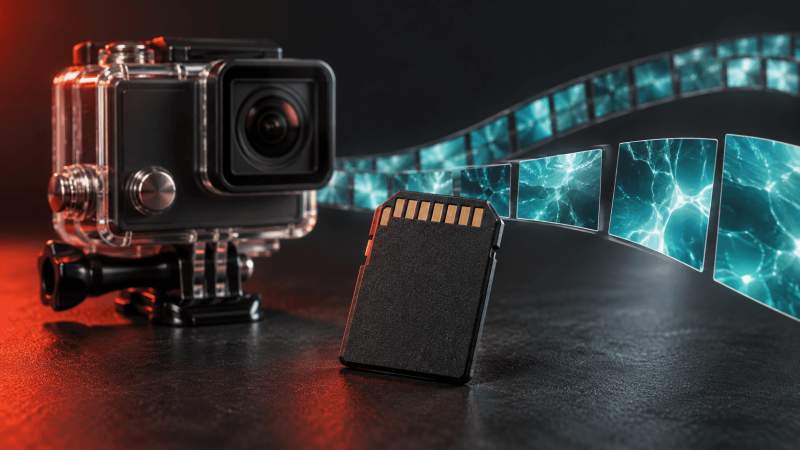
An empty DCIM folder: rebuilding a client's action-camera videos
A 64 GB SanDisk card showed an empty folder, no usable file system and imaging that slowed to a crawl near 30 GB. We rebuilt the latest session, explained videos dated 2019, and showed why the newest 44 recordings crossed into older footage.
- Device
- 64 GB SanDisk SD card from a Kaiser Baas X600 action camera
- Fault
- Formatted, no usable file system, difficult reads
- Result
- 27 complete recordings in the latest session, checked against the camera's tables, plus 28 photos, all decoding
- Still open
- Final quality of the 17 older clips in the newest 44, and why the remembered count differed
12 min read · Read the case file: formatted SanDisk SD card
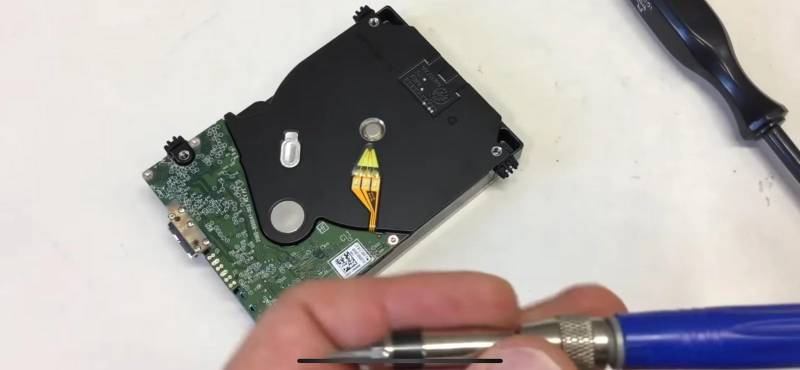
The 4TB WD_BLACK that fell off the desk
A portable WD_BLACK was knocked off a desk while running, clicked, then vanished from Windows. Board and firmware tested healthy; the heads were damaged. A matched donor head stack went in under the clean-air hood and the platter's contact zone was read last.
- Device
- WD_BLACK 4TB portable, 2.5 inch, USB
- Fault
- Dropped while running, clicking, then not detected
- Result
- Nominated folders recovered and verified, files opened one by one
- Inside
- Real drive photos, a healthy vs failing sound comparison and a fall impact estimator
Published Read the case file: dropped 4TB WD_BLACK

An 8TB Western Digital from a house lost to bushfire
The enclosure had melted and the drive was covered in soot, but nobody had powered it on since the fire. We cleaned the chassis, replaced the scorched board with the original ROM information carried across, kept the helium seal intact and imaged the drive under control.
- Device
- 8TB Western Digital hard drive, helium sealed
- Fault
- Bushfire: melted enclosure, soot, scorched circuit board
- Result
- The family's photograph and video library recovered
- Not recorded
- Turnaround time and the original invoice, so neither is stated
Short case summary · Read the case file: 8TB bushfire drive
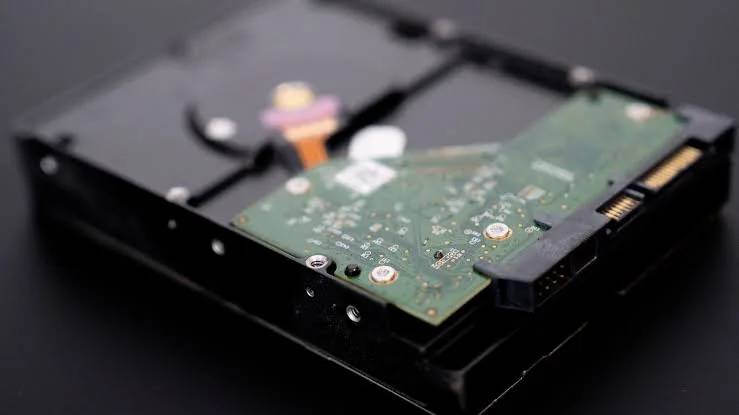
A 3TB desktop drive killed by a power surge
The client was about to buy a board with the same printed number. Instead, the drive's original ROM information went onto a compatible donor board, and the drive was imaged end to end. The platters were left untouched.
- Device
- 3TB desktop hard drive
- Fault
- Power surge: blown protection diode, failed motor controller, drive completely unresponsive
- Result
- Complete image and verified recovery recorded for the job
- Not recorded
- Turnaround time and the original invoice, so neither is stated
Short case summary · Read the case file: 3TB power surge drive
Symptom matcher
What happened to your device?
Pick the closest situation. You get the nearest case file, what not to do in the meantime and the right page to start from.
Pick the closest situation
Your match appears here: the nearest case file, three things not to do and where to start.
My camera or card shows an empty folder
Closest case fileAn empty DCIM folder: rebuilding a client's action-camera videos27 complete recordings rebuilt after the folder looked empty.Before anything else
- Do not record anything new on the card.
- Do not accept a format prompt from the camera or computer.
- Do not save recovered files back onto the same card.
I formatted a card or drive by mistake
Closest case fileFormatted Sony SD card: 70 priority videos recovered in fullRebuilt from the camera's own index tables after the card was formatted.Before anything else
- Do not keep using it, even for a test file.
- Do not save anything to it, including the output of a recovery program.
- Do not format it again to start fresh.
Recovered videos freeze or will not play
Closest case fileWhy a recovered 4K clip froze when every frame was there1,704 of 1,704 frames decoded, and a 1080p viewing copy played smoothly.Before anything else
- Do not delete or overwrite the recovered originals.
- Do not run a video repair tool on your only copy.
- Do not judge a file complete from its thumbnail.
Recovered footage shows the wrong date
Closest case fileWhy footage labelled 2019 could still matterA file date is a camera clock reading, and camera clocks reset.Before anything else
- Do not delete files because the year looks wrong.
- Do not bulk-rename or re-date files before they are reviewed.
- Do not treat the date stamped on the picture as a second opinion; it comes from the same clock.
A hard drive was dropped or knocked over
Closest case fileThe 4TB WD_BLACK that fell off the deskDonor head swap, contact zone read last, nominated folders verified.Before anything else
- Do not plug it back in to check it.
- Do not open the drive or swap its circuit board.
- Do not try other cables, computers or enclosures.
A hard drive is clicking or not detected
Closest case fileHear a healthy drive next to a failing oneTwo bench recordings inside the WD_BLACK case file.Before anything else
- Do not leave it powered on to see if it settles.
- Do not run chkdsk, a repair tool or a format prompt on it.
- Do not freeze it, tap it or swap its board.
A drive went dead after a power surge
Closest case fileA 3TB desktop drive killed by a power surgeOriginal ROM information moved to a donor board, then imaged end to end.Before anything else
- Do not keep plugging it in to see if it starts.
- Do not fit a board bought online because the number matches.
- Do not throw away the original board or any loose parts.
A drive was in a fire
Closest case fileAn 8TB Western Digital from a house lost to bushfireMelted enclosure and soot, never powered on afterwards, library recovered.Before anything else
- Do not power it on, even if the drive looks intact.
- Do not wash it or clean off the soot yourself.
- Do not throw away the melted enclosure, board or loose parts.
A phone will not turn on, or it got wet
Closest case fileNo published case for this yetThe service pages explain how we handle these jobs.
Before anything else
- Do not charge a phone that has been wet.
- Do not put it in rice or dry it with heat.
- Do not factory reset it to make it start.
An SSD or NVMe drive stopped showing up
Closest case fileNo published case for this yetThe SSD page explains controller, firmware and NAND failures.
Before anything else
- Do not keep power-cycling it.
- Do not initialise or format it when the computer asks.
- Do not update its firmware hoping it comes back.
A RAID, NAS or server failed
Closest case fileNo published case for this yetThe RAID page covers degraded arrays and failed rebuilds.
Before anything else
- Do not start a rebuild or re-initialise the array.
- Do not change the order of the drives.
- Do not run a file system check across the array.
Learn from the bench
Lessons from the bench
One plain-English takeaway from each part of a case file, with a link to the exact section that explains it.
-
01SD card
An empty folder is a symptom, not an inventory
A camera reads the file system, not the recordings. When that index is gone the folder looks empty, yet footage can still be on the card. In one of our cases, the latest session was rebuilt from exactly that state.
Sectors versus files -
02SD card
A wrong date can still be the right footage
A camera stamps each file with whatever its clock believes. After a reset, recent video can say 2019. Recording order and content matter more than the year on the file.
Why 2019 could still matter -
03SD card
Count recordings, not files
Some action cameras save a low-resolution preview beside every full-resolution video. Counting both doubles the total without adding a single moment of footage.
The 27 recordings -
044K video
A video that freezes is not always broken
The example clip froze in a player, yet all 1,704 of its frames decoded. Heavy 4K footage, the drive it is read from and the player itself all affect playback.
The playback complaint -
054K video
Opening a file does not prove it is complete
A thumbnail or a few seconds of playback says little. A full decode of the audio and video, compared with the frame count the file declares, says a great deal more.
The validation code -
064K video
Keep the recovered master, watch a viewing copy
A lighter 1080p copy is easier to play, but it is a new encode. Keep the recovered 4K file as the original and label the copy as a copy.
Master and viewing copy -
07Hard drive
After a drop, the next power-on does the damage
Damaged heads scrape the platter every time the drive spins. The drives we cannot save are usually the ones switched on again and again after the fall, not the ones that fell.
How the odds stack up -
08Hard drive
On a WD portable, the USB board stays with the drive
On many WD portables the USB board also handles the platter encryption, so a board from another drive gives you an unreadable disk. This board had to stay with this drive.
What we found -
09Hard drive
A donor head stack has to match, not just fit
Capacity alone means nothing. The donor must come from the same family and firmware generation, with a compatible preamp, or the new heads never find the tracks.
What we did
Method
How we write a case file
The same five rules apply to every case on this page.
- Real jobs, named only with permission
Every case file describes a real job. Where a client is named, it is with their agreement and by first name only.
- Every figure comes from the job record
Counts, levels and outcomes come from the job notes and the recovered files. Where something was not measured, the case says so instead of estimating.
- Recovered, partial and open are kept apart
A clean result in one area never hides a defect in another. Partial files are labelled partial, open questions stay listed as open, and data the client still had is never counted as recovered.
- Pictures are labelled for what they are
Photos of an actual case device say so. Editorial artwork is labelled AI-generated and never shows client files.
- One job is not a promise
A case file describes one device at the documented stage. Your device gets its own assessment before any quote, free for standard recoveries.
Plain English
Data recovery terms from these cases
The words that come up across the case files, explained once, with a link to where each one matters.
No term matches that. Try a shorter word, or ask an engineer.
- Disk image
A sector-by-sector copy of a card or drive. We work on the image, never the original, so a failed attempt cannot make things worse.
Seen in: Sony SD card, WD_BLACK
- Write blocker
Hardware or software that lets a reader see a device without writing anything back to it.
Seen in: SanDisk SD card
- File system
The index that maps folder and file names to places on the media. Formatting replaces this index; the recordings themselves can still be there.
Seen in: SanDisk SD card, Sony SD card
- Quick format and overwrite format
The SD Association's formatter offers a quick format, which resets the file system, and an overwrite format, which also writes over the data area. What survives depends on which one ran.
Seen in: SanDisk SD card
- DCIM folder
The standard folder cameras create for photos and videos, set by the DCF camera file system rule. An empty DCIM folder means the index is empty, not necessarily the card.
Seen in: SanDisk SD card
- LRV file
A low-resolution preview that some action cameras record next to each full-resolution video. One recording, two files.
Seen in: SanDisk SD card
- MP4 sample tables
The part of an MP4's index (stco, stsc, stsz) that records where each frame's data sits and how big it is. Rebuilding against these tables is how a reconstruction is tested.
Seen in: Sony SD card
- moov and mdat
The two main boxes in an MP4 file: mdat holds the audio and video data, and moov holds the index that makes it playable.
Seen in: Sony SD card
- Faststart
An MP4 layout with the index at the front of the file, so a player can start without first reading to the end.
Seen in: Sony SD card
- Decode check
Running the whole file through a decoder and comparing the frames it produces with the number the file declares. We use FFmpeg; a thumbnail is not a decode check.
Seen in: Sony SD card
- Head stack and donor head swap
The arm carrying a hard drive's read and write heads. After a drop it is replaced with a matched stack from a donor drive, once, to read and image the platters.
Seen in: WD_BLACK
- Servo tracks
Positioning information written on the platters at the factory. A dropped drive's steady click is the heads failing to read it, parking and trying again.
Seen in: WD_BLACK
- Board ROM
A chip on a hard drive's circuit board holding calibration data unique to that one drive. A replacement board only works once this information is carried across from the original.
Seen in: 3TB power surge, 8TB bushfire
- Protection diode
A part on a drive's board that shorts out to absorb a power surge and shield the rest of the electronics. Once it has blown, the drive can look completely dead.
Seen in: 3TB power surge
- PC-3000
ACE Lab's hardware and software platform for diagnosing and imaging failing drives and media under controlled settings.
Seen in: WD_BLACK, SanDisk SD card
- SHA-256 hash
A fixed-length fingerprint calculated from a file. Change one byte and the hash changes, so later alteration is detectable. A matching hash does not prove the recovery is correct.
Seen in: Sony SD card
Questions
Questions these cases help answer
What does formatting an SD card do?
Formatting writes a fresh, empty file system to the card, so the camera or computer shows no files. A quick format usually leaves the recordings themselves in place until new data is written over them; an overwrite format writes over the data area as well. Both SD card case files here started from formatted cards, and the result depended on what had survived, not on the word formatted.
Can you recover a formatted SD card?
Often, if nothing new has been recorded and the card was not overwrite-formatted. Recovery means finding the surviving video and photo structures, rebuilding complete files from them and checking each one. Anthony's 70 priority videos and another client's 27 latest-session recordings were rebuilt that way. Neither result predicts another card, so every card is assessed on its own. More on SD card data recovery.
Why do recovered videos freeze or refuse to play?
Missing or wrongly joined data can cause it, but so can a heavy video format, a slow drive or the player itself. In the Sony case, the clip that froze decoded all 1,704 of its frames and a 1080p viewing copy played smoothly. Keep the recovered originals untouched and tell us which files misbehave and what you play them on. What to do when recovered videos freeze.
Why does my recovered footage show the wrong date?
A file's date is whatever the camera's clock believed when it recorded, and camera clocks can reset. The date stamped onto the picture usually comes from the same clock, so it is not a second opinion. In the action-camera case, recovered videos dated 2019 showed a pattern consistent with clock resets, so none was rejected on its date alone. Recording order, content and the client's own review are what tie footage to a real day.
Can a dropped hard drive be recovered?
Usually, if it has not been run much since the fall. A drop damages the heads and can leave a light contact mark on the platter, while the data underneath stays intact until the drive is powered on again on damaged heads. Recovery is a matched donor head swap, then imaging with the damaged zone read last, as in the WD_BLACK case. Switch it off and leave it off.
Can a hard drive be recovered after a power surge or a fire?
Often, if it has not been powered on since. In the power surge case, a blown protection diode and a failed motor controller made the drive look dead; moving its original ROM information to a compatible donor board let it be imaged end to end. In the bushfire case, the enclosure had melted, yet the family's photo and video library was recovered. A melted case says nothing about the platters either way, so keep every part, including the original board, and leave the drive unplugged.
How do I fix a corrupted SD card without losing my files?
If the files matter, do not try to fix it. Repair tools, chkdsk and the camera's format prompt all write to the card, and writing is what turns recoverable footage into lost footage. Stop using it, keep it safe and send it to us on a free Express Post label. The card is imaged first and the recovery work happens on the copy.
How much does data recovery cost?
Every job is classified Level 1 to Level 5 after a free diagnostic, and you get a fixed quote before work starts; we do not charge by the hour. Levels 1 and 2 are success fee only. From Level 3 up there is a fixed upfront fee agreed in writing, plus a success fee once your files are recovered and checked. As a published example, the dropped WD_BLACK was a Level 4 head swap, a band we guide at $1,400 to $2,400 + GST. See our No Data, No Fee policy.
How long does data recovery take?
It depends on the fault more than the device. A formatted card that reads cleanly moves faster than a drive that needs a donor head swap, or a card with slow, difficult areas like the card in our SanDisk case study. The diagnostic gives you the level and the expected timeline, and Critical or Emergency 24/7 service is available when a deadline cannot move.
Are these real clients and real devices?
Yes. Each case file describes a real job. Where a client is named, it is with their permission and by first name only. The WD_BLACK photos show the actual case drive; the bushfire and power surge cards use lab photos labelled as not the case drive; the artwork on the SD card cases is labelled AI-generated and shows no client footage.
Does a case study mean my recovery will work?
No. A case file shows how one device behaved and how it was handled. Two cards with the same symptom can hold very different amounts of surviving data, so your device is assessed on its own, and you see what was recovered before any success fee is charged.
Facing a problem like one of these?
Talk to an engineer before you try anything else. Free Express Post label Australia-wide, or Brisbane-area collection.