⚠ Do now
Hard drive
data recovery
Brisbane.
For drives that click, die or disappear.
Failed heads, dead boards, corrupt firmware, dropped drives, deleted files. We image the drive on the PC-3000, rebuild your folders and show you the file list before you pay a cent. Free diagnostic, fixed quote, 92% recovery rate across 15,000+ jobs.
See the complexity bands and guide prices- Free diagnostic
- Fixed quote before any work
- Proof before payment
- 24/7 emergency option
On the bench photo
Part 1 of 4
Your files, as magnetism.
Every file you own is a magnetic pattern on the platters: rigid discs coated in a layer only nanometres thick. The heads read that pattern while flying on a cushion of air, and never touch the surface while the drive is healthy.
FreeDiagnostic and Express label
92%Recovery rate
15,000+Clients since 2016
4.8★Google rating, 95 reviews
24/7Emergency response
The 20-second answer
Can data be recovered from a hard drive?
Almost always, yes. A hard drive stores your files as magnetic patterns on platters, and the things that fail, heads, circuit boards, motors and firmware, sit around those platters rather than on them. Recovery means repairing or replacing the failed part in the lab, imaging the platters once, and rebuilding your folders from the image. The two things that make data unrecoverable are a platter scratched by damaged heads and data overwritten by continued use. Both happen after the failure, which is why what you do in the next hour matters more than what went wrong.
Image first, always
Every drive is copied sector by sector to healthy storage on hardware imagers before any file work starts. Failing drives are imaged gently, good areas first.
Repair only to read
Heads, boards and firmware are repaired or replaced just far enough for one clean image. The drive is retired afterwards; your data goes home on new media.
Proof, then payment
You see the recovered file list and a fixed quote. If the honest answer is not recoverable, you hear that for free and the drive comes back to you.
01 Symptoms · start here
What is your hard drive doing?
Pick the closest symptom. Each one comes with what it usually means on the bench, what to do in the next ten minutes, and the complexity band it normally lands in. The patterns come from our own job records, not a brochure. Your choice is carried into the enquiry further down the page.
Find it by the brand on the label
Pick the logo on the drive or its case. It goes into your enquiry, with what we see from that brand on the bench.
Not listed, or no logo? Leave it: we identify the drive at the free diagnostic.
Choose a symptom to see your next step.
It clicks, beeps, grinds, will not spin, or is not detected.
Switch it off · laboratory workNoise, a drive that will not spin and a drive that spins but is not detected are mechanical, electronic or firmware faults. Software cannot reach data behind failed heads, a dead board or corrupt firmware, and every power-on makes the fault worse.
Unplug it now and keep the enclosure, cable and adaptor together.
It works, but files are gone or it was formatted.
Stop using it · stop writingOn a drive that still reads normally this is a logical fault. The files are usually still on the platters until something new is written over them, so what you do next decides the odds.
Stop using the drive and shut the computer down. If it is a boot drive, do not start Windows or macOS from it again.
Not one of those two? Choose the closest symptom below.
Clicking
tick, tick, tick
UrgencyCritical
Usual band: Level 3 to 4The drive clicks, ticks or knocks
The read/write heads are sweeping across the platters and failing to find the servo tracks they need, so the drive parks them and tries again. On the bench this is a head stack that has failed, a preamp fault, or heads that survived a drop with damaged sliders. Every click is another pass over the data surface, and on a drive with a scratched platter each pass removes more of it.
Do this now
- Power it off at the wall or unplug the USB cable now
- Note when the clicking started and what happened just before
- Send it in as it is, with the enclosure if it is an external drive
Do not do this
- Do not keep powering it on to “see if it works this time”
- Do not run recovery software, chkdsk or First Aid on it
- Do not open the lid, and do not try the freezer
Beeping
or not spinning
UrgencyCritical
Usual band: Level 3 to 4The drive beeps, buzzes or never spins up
A beep or buzz from a hard drive is the spindle motor straining and failing to spin. The usual cause on 2.5 inch portable drives is stiction: the heads have stuck to the platter surface and the motor cannot pull them free. On desktop drives it can also be a seized motor bearing after a knock. The data is normally intact; it just cannot be reached until the heads are lifted off the platter and replaced.
Do this now
- Unplug it and leave it flat, label side up
- Keep the original cable and enclosure with the drive
- Tell us if the drive was dropped, even a short fall onto a desk
Do not do this
- Do not tap, shake or spin the drive by hand
- Do not repeat the power-on attempts; each one drags the heads across the platter
- Do not swap the circuit board; the motor and heads are the fault, not the board
Dead
no power, no lights
UrgencyHigh
Usual band: Level 2 to 4The drive is completely dead
No spin, no light and no sound usually points to the printed circuit board: a blown TVS diode after a power surge, a failed motor controller, or a damaged USB bridge board on an external drive. Modern drives keep unique calibration data in a ROM chip on that board, so a like for like board from another drive will not work without that chip moved across. This is one of the better faults to have, because the platters and heads have not been touched.
Do this now
- Check the obvious: a different cable, a different port, the power brick on a desktop external
- If it is still dead, stop there and send it in
- Keep the power adaptor; a wrong voltage adaptor is a common cause
Do not do this
- Do not buy a matching board online and swap it; the ROM must be transferred
- Do not open the enclosure with force; the USB bridge may be the only fault
- Do not leave it plugged into the same surge-damaged supply
Not detected
or not showing up
UrgencyHigh
Usual band: Level 2 to 3The drive spins but is not detected, or shows as 0 bytes
When a hard drive is not showing up in Windows or Finder but spins normally, the fault is usually in the firmware: the service area on the platters holds modules the drive needs to boot, and if one is corrupt the drive reports the wrong capacity, the wrong model name, or nothing at all. Seagate, Western Digital and Toshiba families each have their own known failure modules. Firmware repair on a PC-3000 puts the drive back into a readable state so it can be imaged.
Do this now
- Try one other computer if it is quick and safe to do so
- Write down exactly what the computer shows: wrong size, wrong name, asks to initialise
- Send it in before anything else is attempted
Do not do this
- Do not click Initialise, Format or Erase when the operating system offers it
- Do not run a firmware flash or manufacturer tool on the drive
- Do not let an IT shop “try a few things” first
Slow / freezing
hangs, times out
UrgencyHigh
Usual band: Level 2 to 3The drive is painfully slow, freezes or throws I/O errors
Slow reads, hangs and “I/O device error” messages are bad sectors: patches of the platter surface the heads can no longer read cleanly. The drive retries each one for seconds at a time, which is why file copies crawl and the computer locks up. Left running, weak heads turn a few hundred bad sectors into a full head failure. The right move is a hardware imager that reads the good sectors first and comes back for the difficult ones with controlled timeouts.
Do this now
- Stop copying files from it; every retry stresses the heads
- Note which folders fail, so we can prioritise them
- Send it in while it still spins and reads
Do not do this
- Do not run chkdsk, fsck or a “repair” scan
- Do not defragment it or run a full antivirus scan
- Do not use free recovery software on the original drive
Deleted / formatted
drive works fine
UrgencyModerate
Usual band: Level 1 to 2Files were deleted, or the drive was formatted
If the drive itself is healthy, deleted files and quick formats are a logical problem: the file system has forgotten where the files are, but the data usually still sits on the platters until something new is written over it. The risk is entirely about what happens next. A drive that keeps being used, or that has Windows reinstalled on it, overwrites the very files you want back. Handled early, this is the highest success category we see.
Do this now
- Stop using the drive and shut the computer down
- If it is a boot drive, do not start Windows or macOS from it again
- Tell us the file types and folders that matter most
Do not do this
- Do not install recovery software onto the same drive
- Do not reinstall the operating system
- Do not keep working on the drive “just for today”
Dropped
or knocked while on
UrgencyCritical
Usual band: Level 3 to 4The drive was dropped or knocked
A hard drive that was dropped while running almost always has head damage, and often a small scratch on the platter where the heads touched down. A drive dropped while switched off can survive with nothing worse than a shifted head stack. Either way the next power-on decides the outcome: damaged heads on a scratched platter can strip the magnetic layer in minutes. This is the fault category where acting fast matters most.
Do this now
- Do not plug it in again, even to check
- Keep it flat and pack it with padding on every side
- Tell us the height of the fall and whether it was running
Do not do this
- Do not power it on to test it
- Do not open it to look for damage
- Do not accept a “cheap look” from a general repair shop
Water / fire
or smoke and mud
UrgencyCritical
Usual band: Level 4 to 5The drive went through water, fire, smoke or a flood
Water and mud rarely reach the platters; they attack the circuit board and the motor contacts, and the residue matters more than the wetness. Fire and smoke are worse because heat can warp the platters and smoke particles settle inside the drive. In both cases the drive must not be dried out with heat or powered on. We clean and treat the board, open the drive on a clean-air bench, assess the platters, and image with replacement components where needed.
Do this now
- Keep a wet drive sealed in a bag with a damp cloth so residue does not dry hard
- Keep a fire-damaged drive as it is, with any melted enclosure attached
- Photograph the drive and the scene for insurance before it leaves you
Do not do this
- Do not dry it with a hair dryer, in the sun or in rice
- Do not plug it in to see if it survived
- Do not wipe the circuit board with cleaning products
Noise decoder
Why is my hard drive making noise?
A hard drive has exactly one moving system, so every new sound maps to a small number of faults. Pick the closest match. Each one tells you what is happening inside, how urgent it is, and the one thing to do next. If you are hearing clicking or grinding, the answer is the same before you read further: power it off.
Clicking
tick... tick... tick
UrgencyCritical
A regular click, tick or knock
The read/write heads are sweeping across the platters looking for the servo tracks, failing to find them, parking on the ramp and trying again. Each click is one failed sweep. On the bench this is a failed head stack, a preamp fault, or heads damaged in a drop; on a few drive families it can also be a firmware fault that stops the heads reading their own configuration.
Switch it off nowEvery sweep is another pass over the data surface. Unplug it and do not test it again.
Clicking hard drive recoveryBeeping
beep... beep... beep
UrgencyCritical
A beep, chirp or repeated short whine
A hard drive has no speaker. The beep is the spindle motor being driven and failing to turn, so the coil sings instead of spinning. The usual cause on portable 2.5 inch drives is stiction, where the heads have stuck to the platter and hold the motor back; on desktop drives it can be a seized motor bearing after a knock. The platters are usually untouched.
Do not tap or shake itLeave it flat and unplugged. The heads must be lifted off the platter in the lab, not shaken free.
Beeping and not-spinning drives: free diagnosticGrinding
grrrr... scrape
UrgencyCritical
Grinding, scraping or a rough continuous rasp
Something is touching the platter surface while it spins. That is head contact after a crash, debris trapped inside the drive, or a motor bearing that has broken down. Grinding is the one sound that removes data in real time, because the magnetic coating is being abraded with every rotation.
Power off immediatelyThis is the most time-critical sound on this page. Minutes matter. Unplug it and call us.
Head crash and physical damageBuzzing
bzzzz... stop... bzzzz
UrgencyHigh
A buzz or hum that never turns into a spin
The motor is trying to start and cannot reach speed. On a portable drive plugged into a laptop this is often just a lack of power from the USB port, which is harmless. If it buzzes on a known-good port or a powered enclosure, it is stiction or a seized spindle, and it belongs with the beeping drives above.
Try a powered port onceOne try on a different, powered USB port or the correct adaptor. If it still buzzes, stop and send it in.
Not spinning up: start a free diagnosticWhining
eeeee... high pitch
UrgencyModerate
A high-pitched whine or whistle while it runs
Older drives and enterprise 7,200 to 15,000 rpm drives whine normally; the sound comes from the motor and airflow. A new whine on a drive that used to be quiet, or a whine with slow reads, points to a bearing wearing out. The data is at no immediate risk, but the drive is telling you its remaining life is short.
Back it up todayIf it still reads, copy your important files to another drive now and retire it. If reads are slow or failing, treat it as a bad-sector drive and send it in.
Slow or failing drive: free diagnosticSilence
no sound at all
UrgencyHigh
No sound, no vibration, no light
No spin and no sound almost always means the circuit board or the USB bridge board has failed, usually after a surge, a wrong adaptor or liquid. It is one of the best faults to have: the platters and heads have not been stressed. The one thing that turns it into a bad fault is a do-it-yourself board swap without moving the ROM chip.
Do not swap the boardCheck cable, port and adaptor once. Then stop. The board is repaired or the ROM is moved to a donor board in the lab.
Silent drive: start a free diagnosticListen and compare · real recordings
What does a failing hard drive sound like?
Play the examples here. Leave your own drive switched off if it may be damaged.
Normal spin-up
Listen for the rising spindle sound, a brief loading tick and a steady hum. Normal sounds vary by drive model.
Tap play to listen0:00 / 0:06
Repeated clicking
A repeated click over the motor sound. With failed reads or a recent impact, stop using the drive and seek assessment.
Tap play to listen0:00 / 0:20
Beeping / strained startup
Beeping does not identify a single fault: power, connection or mechanical issues can be involved. Keep a damaged drive disconnected.
Tap play to listen0:00 / 0:53
Grinding on startup
A short grinding startup recording. A new scraping or grinding sound is a reason to stop using the drive and seek an assessment.
Tap play to listen0:00 / 0:04
These are representative source recordings, not recordings of a Wildfire client drive. Similar sounds can have different causes; sound alone cannot establish the fault or recovery level. Read the clicking-drive guide.
Before you touch anything
The five mistakes that destroy hard drive data.
Most of the drives we cannot save were recoverable when they failed. Somebody followed the wrong advice first. Here is what each “fix” actually does.
The freezer trick
A forum favourite since the 1990s.
What it destroys
Condensation forms on the platters the moment the drive warms up, and cold makes the fluid bearing stiffer, not looser. Modern drives gain nothing and often lose everything.
Instead: Leave it at room temperature, unplugged, and send it in.
Opening it up at home
To “have a look”.
What it destroys
The gap between head and platter is smaller than a dust particle. One fingerprint or speck on a platter and the next spin scores the surface. Home-opened drives are the ones we most often cannot save.
Instead: Keep the lid on. Even we open drives only on a clean-air bench.
Running repair software
chkdsk, fsck, First Aid, Recuva.
What it destroys
On a failing drive every scan is hours of reads on weak heads and bad sectors. Repair tools also write to the file system, changing the very structures we use to rebuild your folders.
Instead: No scans, no writes. Imaging comes first, always.
Swapping the circuit board
Same model number, same board, right?
What it destroys
The ROM chip on the board holds calibration data unique to your drive. A matching board without your ROM spins the drive up and then does nothing, or worse, writes to the wrong tracks.
Instead: Board repair or ROM transfer, done in the lab.
Trying it again and again
It clicked, so maybe once more.
What it destroys
Every power-on of a drive with damaged heads is another pass over the platter. We regularly see drives that were recoverable on Monday and stripped bare by Friday from repeated attempts.
Instead: One symptom is enough information. Switch it off and call us.
The short version
Safe to do. Not safe. Call first.
Distilled from the symptom panels above, plus the cases that always need a call first. The aim is simple: leave the laboratory a drive that can still be imaged.
Safe to do
- Power it off at the wall or unplug the USB cable now.
- Note when the symptom started and what happened just before.
- Keep the enclosure, cable and power adaptor with the drive.
- For a completely dead drive, check one other cable, port or adaptor, once.
- Photograph a wet or burnt drive for insurance before it leaves you.
Do not do this
- Keep powering it on to “see if it works this time”.
- Run chkdsk, fsck, First Aid or recovery software on it.
- Open the lid, or try the freezer.
- Swap the circuit board; the ROM must be transferred.
- Click Initialise, Format or Erase when the operating system offers it.
Stop and call first
- The drive is wet, burnt, smoke-affected or muddy.
- It was dropped while running, or it clicks or grinds. Minutes matter.
- The data may be evidence in a dispute or investigation.
- It came from a RAID, NAS or server.
From the Wildfire lab
Our latest hard drive research, straight from the bench.
What we are seeing in the drive market and on the bench, written up so you can plan before a drive fails.

02 Costs
How much does hard drive data recovery cost?
Hard drive data recovery cost depends on the fault, not the capacity. Every job is classified Level 1 to Level 5 after the free diagnostic, and you get a fixed quote for your actual drive before any work begins. Levels 1 and 2 are success fee only. From Level 3 up, the physical levels, a fixed upfront fee applies before bench work starts. The bands below are a guide to where drives usually land, based on previous recoveries; the quote is the number that counts.
$320 + GSTWhere Level 1 starts: deleted files or a quick format on a healthy drive
$500 to $1,200 + GSTWhere most single consumer hard drives land ($550 to $1,320 inc GST)
$0What you pay if we cannot recover your nominated files, under our No Data, No Fee terms
| Level | Typical faults | Ex GST | Inc GST | Payment |
|---|---|---|---|---|
| Level 1Basic logical | Deleted files, quick format, healthy drive that reads normally. | $320 | $352 | Success fee only No upfront fee. Success fee only, charged on recovery and return. |
| Level 2Complex logical | File-system rebuilds, bad sectors that need hardware imaging, minor firmware faults. | $450 to $700 | $495 to $770 | Success fee only No upfront fee. Success fee only, charged on recovery and return. |
| Level 3Moderate physical | Firmware repair, circuit board repair with ROM transfer, head swaps on common families. | $750 to $1,400 | $825 to $1,540 | Upfront + success fee Upfront fee applies. Fixed amount agreed in writing before bench work, then a success fee on recovery. |
| Level 4Complex physical | Donor head swaps with platter damage, seized motors, multi-fault drives, prior failed attempts. | $1,400 to $2,400 | $1,540 to $2,640 | Upfront + success fee Upfront fee applies. Fixed amount agreed in writing before bench work, then a success fee on recovery. |
| Level 5Environmental and forensic | Fire, flood and crush damage, encrypted drives, platter transplants, forensic handling. | $2,400 and up | $2,640 and up | Upfront + success fee Upfront fee applies. Fixed amount agreed in writing before bench work, then a success fee on recovery. |
Levels 3, 4 and 5 carry an upfront fee
Physical work consumes donor head stacks, boards and bench hours whether or not the platters turn out to be readable, so from Level 3 upwards we charge a fixed upfront fee, agreed in writing and invoiced only after you accept the quote. It is a set amount for your job, never a percentage, and it is never charged before the free diagnostic has told you the level. The success fee on top is still only charged when your files are recovered and verified. Levels 1 and 2 have no upfront fee at all.
Guide figures in AUD from previous hard drive recoveries. Success is measured against your nominated file list or the level threshold in our terms, and the success fee is only ever charged on successful recovery and return. Recovery media is supplied separately, or bring your own.
How fast do you need it?
The only choice you make up front is speed.
Standard
$0
Free diagnostic
- Free Express post-in label, or free collection in the Brisbane area
- Full fault findings plus a list of your recoverable files
- Fixed quote, approve it or walk away, no obligation
Critical Priority
$715
inc. GST upfront ($650 + GST)
- Jump the queue, your drive goes to the bench first
- Same free-diagnostic findings, fast-tracked
- Recovery itself still quoted after diagnosis
Emergency 24/7
$1,540
inc. GST upfront ($1,400 + GST)
- An engineer on your job around the clock
- For business-critical and cannot-wait situations
- Recovery itself still quoted after diagnosis
Priority fees are upfront service fees in AUD. The recovery itself is always quoted after diagnosis, and every job sees file-list proof before payment. Standard jobs typically complete within 10 to 15 business days of arrival, Critical Priority within 7 to 9, Emergency within 2 to 3, subject to donor part availability.
A fair question
Is it worth paying for hard drive data recovery?
Not always, and we would rather say so up front. It depends on what the data is worth to you and what state the drive is in. This is the same advice we give over the phone before anyone has spent a dollar.
When DIY is worth trying first
The drive is healthy, it reads normally, and files were simply deleted or a folder went missing. Check the Recycle Bin, cloud sync history and any old backups first, because that is free. Guides on how to recover data from hard drive faults with free software apply only to drives that are still healthy. If you use recovery software, install it on a different drive and save results elsewhere. Every hour of normal use overwrites a little more of what you want back.
When the lab earns its fee
The drive clicks, beeps, hangs, was dropped or is not detected. Software cannot reach data behind failed heads or corrupt firmware, and running it makes things worse. The free diagnostic makes this decision cheap: you see a list of your actual files and a fixed price before you commit to anything.
When we will tell you to keep your money
Everything is already in the cloud, or the data is not worth the quote to you. It happens, and we would rather say so. That is the point of proof before payment: if the diagnostic shows your files are not recoverable or not needed, you have lost nothing but postage we paid for anyway.
03 Process
Our six-stage hard drive data recovery process.
The same procedure for a $60 portable drive and a 20 TB enterprise drive. The order is the point: nothing is recovered until the drive is imaged.
01INTAKE
Intake and case notes
Enclosure, model, symptoms and everything already tried are documented before the drive is touched. Externals are checked for bridge-board encryption.
Nothing touched before it is logged02DIAGNOSE
Diagnosis
Electronics, firmware and mechanics are tested in that order on the PC-3000. You get the fault, the recovery plan and a fixed quote. Free.
Free · fixed quote03REPAIR
Repair to read
Board repair with ROM transfer, firmware module repair, or a donor head swap on the ISO Class 5 rated clean-air bench, whichever the fault needs.
Repair only to read04IMAGE
Imaging
Sector-by-sector copy on hardware imagers with head-friendly timeouts, good areas first, difficult areas last. The original is never written to.
Image first, always05REBUILD
File-system rebuild
Partitions, NTFS, APFS, HFS+, exFAT and ext volumes are reconstructed from the image and your folder tree is restored with names and dates.
Worked from the image06VERIFY
Verification and return
Files are opened and checked against your nominated list. You see the list, approve, pay, and the data ships on new media with tracking.
Proof, then payment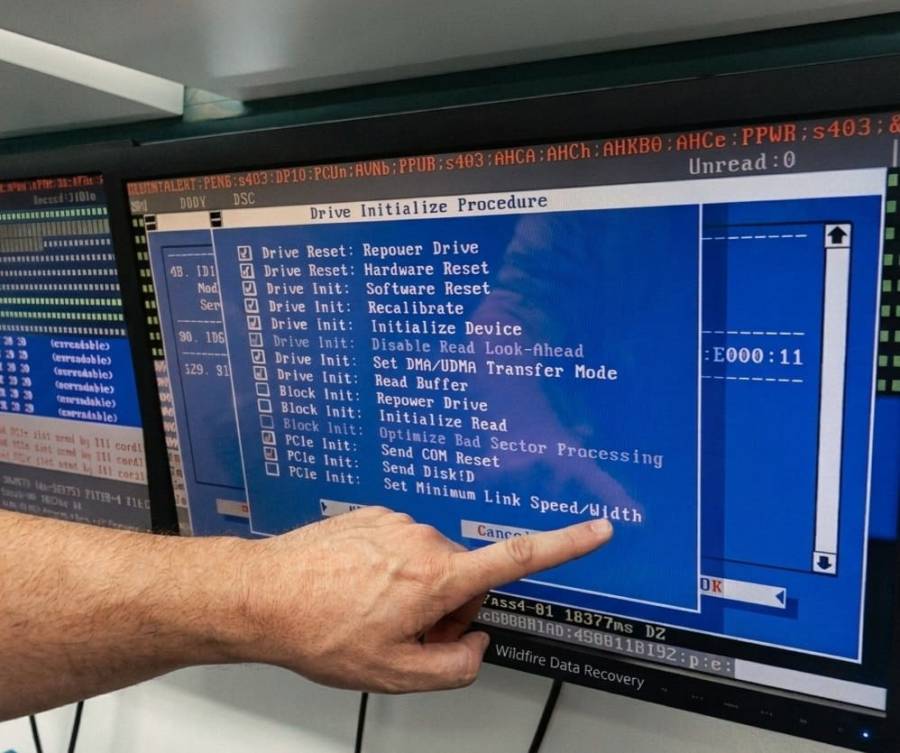
04 Laboratory
Real equipment. Our own engineers.
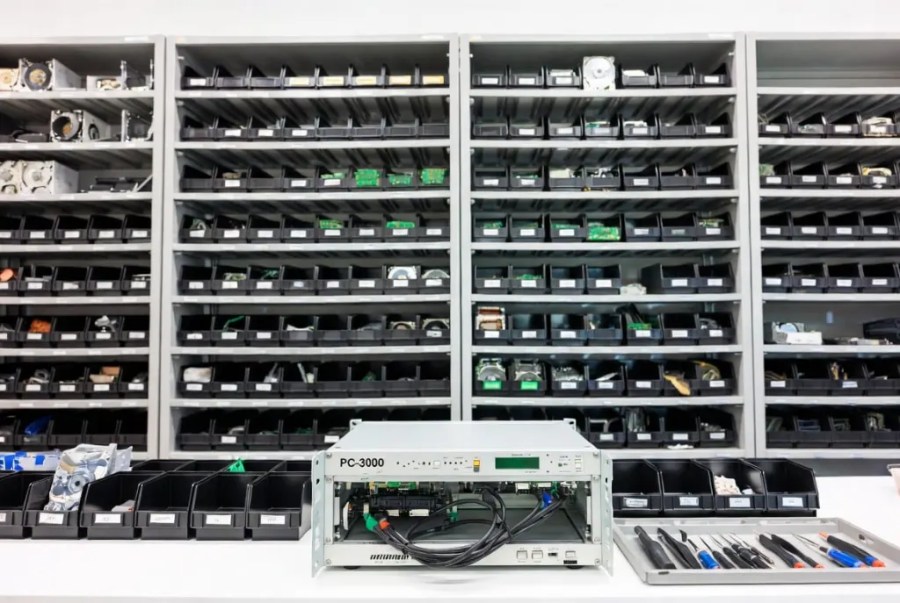
PC-3000 imaging, a donor drive library and ISO Class 5 rated clean-air benches in the Brisbane area, run by our own engineers. One laboratory, no forwarding, and your data stays in Australia.
The engineers

Viktor (Dante) Burcevski
Executive Data Engineer / Owner
Board-level recovery, forensic extraction and complex storage cases.

David Williams
Co-founder · mobile & encryption
Part of Wildfire’s founding team.
Off the bench
Real hard drive recoveries, not stock stories.
Details anonymised, outcomes real. The dropped WD Black has its own case file page with the full story, the hard part and what it cost.
01
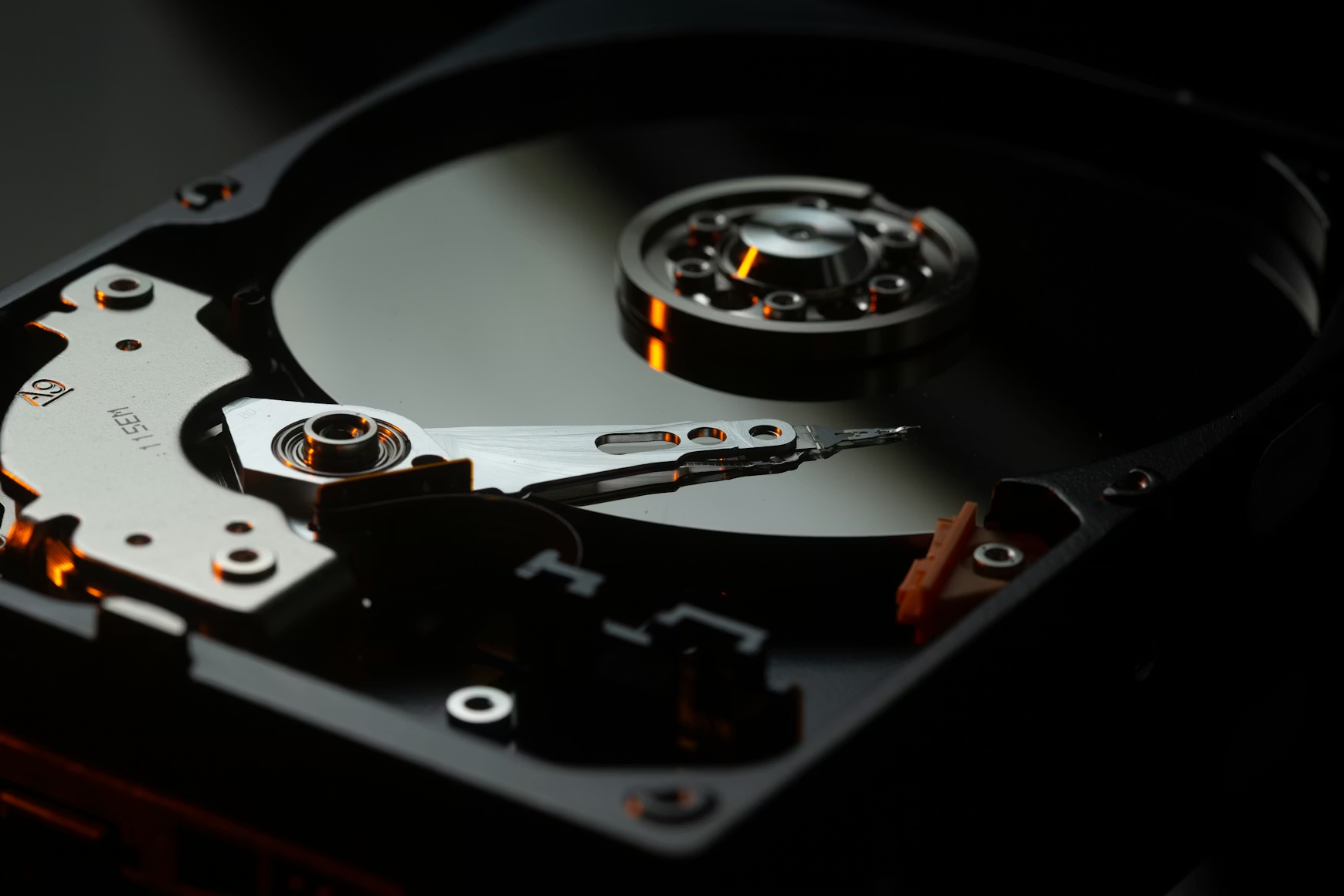
The 4TB WD Black that fell off the desk
A video editor’s desktop drive, knocked off the desk while running, clicking on every power-up. Head stack replaced from the donor library, the platter contact zone mapped and imaged last, the three nominated project folders recovered and verified.
Project folders recovered

02
The 2TB Seagate that chkdsk made worse
Slow reads, I/O errors, then an overnight repair scan that left the volume RAW. Hardware imaging with head-friendly timeouts, then a file-system rebuild on the image. A decade of photos and a small business’s documents back, with no upfront fee.
Photo archive and documents recovered

03
The 3TB desktop drive that died in a storm
Completely dead after a power surge: blown protection diode and a failed motor controller. The client had a matching board in an online cart. We moved the drive’s ROM chip to a donor board instead, and the drive imaged cleanly end to end.
Full recovery, verified
04
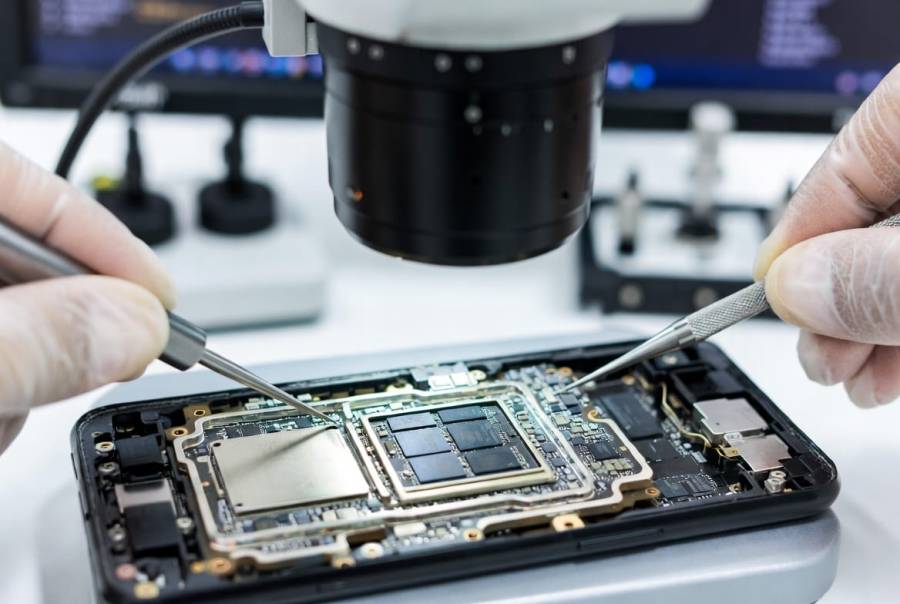
The 8TB Western Digital that survived a bushfire
Pulled from a house lost to bushfire in a melted enclosure, black with soot, never powered on. Chassis cleaned, scorched board replaced with the ROM carried across, helium seal kept intact, imaged gently in full. The family’s photo and video library came home.
Photo and video library recovered
05
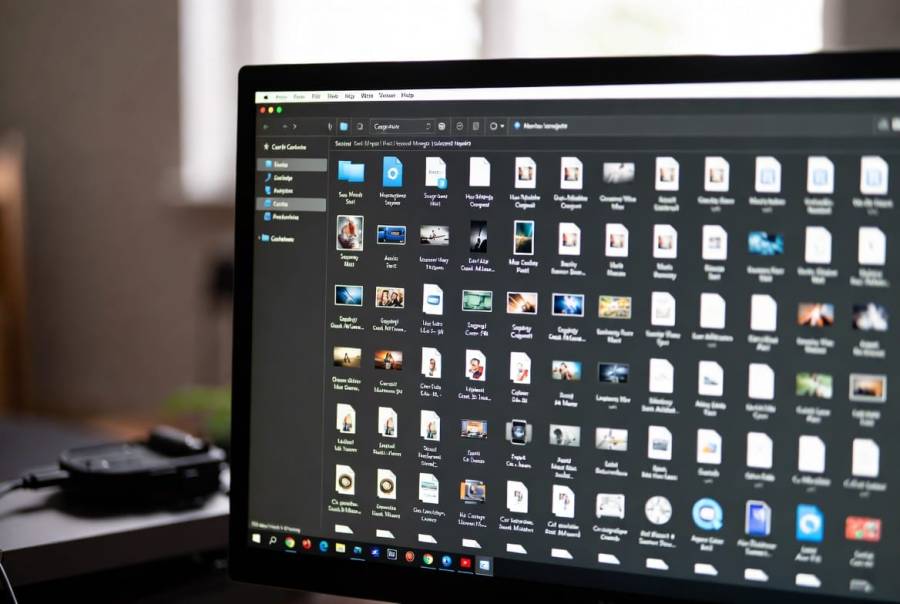
The iMac drive that would not finish
A 1 TB Western Digital drive out of an iMac, slow to the point of hanging and throwing read errors. Imaged on the PC-3000 with head-friendly timeouts, the good sectors first, then repeated passes on the weak areas until more than 99% of the drive was captured. The photo library came back intact.
Photo library and documents recovered
06
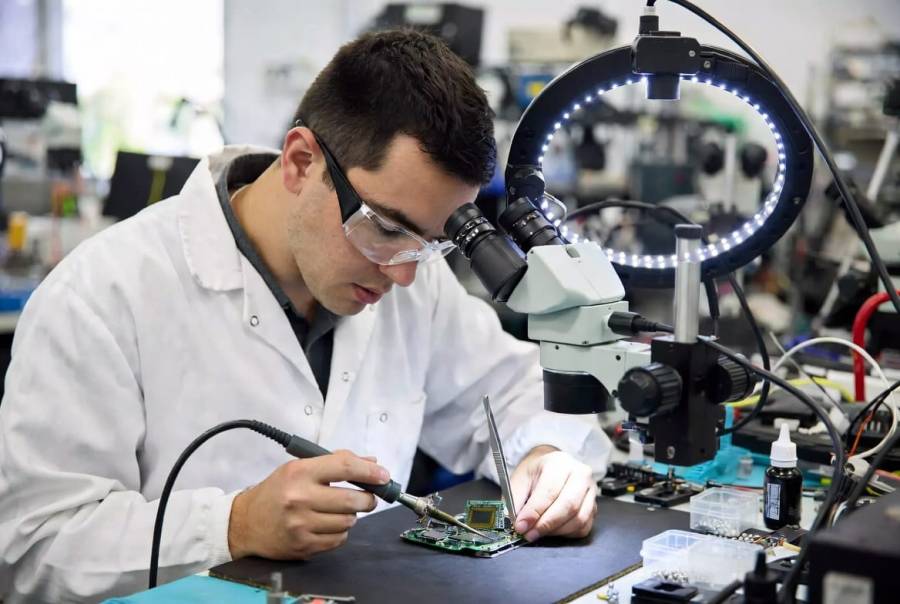
The laptop drive that beeped
A 2.5 inch laptop drive that beeped and never spun. Stiction: the heads had stuck to the platter after a fall, and the release had damaged them. Donor head stack sourced from our library, swapped on the clean-air bench, the drive imaged and the data verified against the client’s file list before payment.
Recovered and verified
What our clients say on Google
4.8 from 95 reviewsRead them all →
“Great communication with fast service, managed to retrieve all family photos and videos off a broken hard drive.”
“This was my first time needing data recovery, and I’m so glad I went to Wildfire Data Recovery. After spilling coffee all over my laptop, I thought everything was lost—but Viktor was incredibly reassuring and got to work right away. He and his team are extremely fast, professional, and communicative throughout the process.”
“Excellent Data Recovery and re set up. Viktor goes above and beyond to explain everything regardless of how long it takes. After disasters through the years gone by with other so-called experts, it was stessfree and a relief to discover Wildfire. Excellent pricing and communication. ☆☆☆☆☆ Highly recommend 👌”
“Viktor is an absolute legend! I hit the worst-case scenario with BitLocker locking me out completely a problem that could’ve cost thousands. Viktor stepped in and had it fixed in mere minutes. He didn’t just fix it; he guided me step‑by‑step exactly what to do. Thanks to his clear, expert directions, everything was sorted quickly and stress‑free. Massive thanks to Viktor.”
“Wildfire Data Recovery were fantastic to deal with from start to finish. Extremely responsive to any customer requests and we able to perform data recovery and phone repair where Samsung official repairer advised they would not likely be able to preserve the data. Very satisfied with Viktor and his team. Highly recommend 👌”
Before you pick anyone, including us
How to choose a hard drive data recovery service in Australia.
Four questions separate a real recovery lab from a mail-forwarding website. Ask all four of anyone you are considering.
“Do I see proof before I pay?”
A serious lab shows you a list of your recoverable files and a fixed quote before taking a dollar. Here: free diagnostic, file list and proof-before-payment on every job.
“Who actually opens the drive?”
Plenty of recovery websites are booking desks that forward your drive on. Ask where the bench is and who is at it. Here: one Brisbane-area laboratory, PC-3000 imaging, head swaps and firmware repair done by our own engineers.
“What will it cost, in writing?”
Vague “from $99” pricing turns into a surprise invoice once they have your drive. Here: published complexity bands and priority tiers in AUD, GST shown, and a fixed quote you approve before any work.
“Where does my data go?”
Your files should not take an overseas holiday. Here: your drive and your data stay in one Australian lab, handled only by our engineers, with a live tracking link the whole way.
That is the whole checklist: free diagnostic with proof, an in-house lab, fixed pricing, and data that stays onshore. Take it to every provider you compare, including us: 1300 806 557.
05 Start
Start your hard drive recovery.
Tell us what the drive is doing and which files matter most. If you picked a symptom above, it is already in the form for you to check.
Proof before payment.
Completely free, no-obligation diagnostic of your drive, with a free Express post-in label, Australia-wide. See a list of your recoverable files and a fixed quote before you pay a cent. Nothing is ever written to your original drive. Sending this form does not commit you to anything.
See the six laboratory stages →
Prefer to speak to us?
1300 806 557How much will it cost?
Tell us what the drive is doing. We come back with a free diagnostic plan and a fixed quote before any work starts.
06 Delivery
Brisbane lab. Free label from anywhere the post goes.
Our laboratory is in the Brisbane area and we collect free from Brisbane addresses, north side and south side. Everyone else in Australia gets the same free tracked Australia Post Express label, and the drive comes back the same way with your data on new media.
There is no walk-in counter and no need for one: every job starts with a call or the form above, then a booked collection or a free tracked label. A drive from Sydney, Melbourne, Perth, Adelaide, Canberra, Hobart, Darwin or the Gold Coast is usually on our bench within two business days of posting, tracked the whole way.
- Brisbane
- Gold Coast
- Sunshine Coast
- Sydney
- Melbourne
- Perth
- Adelaide
- Canberra
- Hobart
- Darwin
- Regional Australia
Protect the drive
Put a bare internal drive in an anti-static bag. Keep an external drive in its enclosure, with its cable and power adaptor; some externals encrypt data on the bridge board, so we need them. Ask before removing a drive from a laptop or iMac.
Cushion every side
Use a rigid box with at least 5 cm of cushioning around the drive and fill the gaps so it cannot move. A padded envelope is not enough, and a drive that has already been dropped needs the padding most.
Add the case details
Include your name, contact details, job ID and a short description of what happened and what has already been tried. Note the folders that matter most so they can be prioritised.
Seal, label and track
Seal the box, attach the free Express label we email you and keep the tracking details and your lodgement receipt. Follow the carrier’s acceptance instructions.

Wet, burnt or smoke-affected?
Leave the drive off and call 1300 806 557 before packing. Keep a wet drive sealed in a bag with a damp cloth so residue does not dry hard. Keep a fire-damaged drive as it is, with any melted enclosure attached. Do not dry it with heat, in the sun or in rice.
Need the data as evidence?
Tell us before intake. A forensic matter requires an agreed preservation, acquisition and reporting scope, quoted before intake. Discuss forensic data recovery →
Tick the checks as you prepare the parcel.
Track My Recovery
Watch your recovery happen, live.
Every job gets a private tracking link. Follow your drive from arrival to imaging to “your files are ready”. No chasing, no wondering what is happening on the bench.
This is the live product, not a mock-up. Every job gets this link with their unique ID.
07 Answers
Hard drive data recovery FAQs.
Straight answers to the questions we are asked most. Open one for the direct answer; the free diagnostic gives you the real one for your drive.
Is it possible to recover data from a hard drive?
Yes, in the large majority of cases. Our overall recovery rate is 92% across 15,000+ jobs since 2016, every device and every fault included. Hard drives fail in ways that leave the data physically present on the platters: dead circuit boards, corrupt firmware, failed heads and deleted files are all recoverable in a lab. The exceptions are severe platter damage, usually from a drive that kept running after a head crash, and overwritten data. The free diagnostic tells you which side of that line your drive is on before you spend anything.
How much does data recovery of a hard drive cost?
Most single consumer hard drives land between $500 and $1,200 + GST ($550 to $1,320 inc GST). Simple logical jobs such as deleted files on a healthy drive start at $320 + GST. Complex physical work such as head swaps with platter damage runs into the Level 4 band, $1,400 to $2,400 + GST. Levels 1 and 2 have no upfront fee at all. From Level 3 upwards there is a fixed upfront fee, agreed in writing after the free diagnostic, which covers the donor parts and bench time the job needs whatever the outcome; the success fee is then only charged once your files are recovered and verified.
How much does it cost to recover data from a 1TB hard disk?
Capacity has less effect on price than the fault does. A 1 TB drive with deleted files is a Level 1 job from $320 + GST; the same drive with failed heads is Level 3 or 4. Larger drives take longer to image, which matters at the top end of the complexity bands, but a 1 TB drive sits comfortably inside the standard pricing on this page.
Can a dead hard drive be recovered?
Usually, yes. A drive that shows no power, no spin and no sound most often has a failed circuit board or USB bridge, which means the platters and heads have not been stressed. We repair the board or transfer the ROM chip to a donor board, then image the drive. Dead drives are one of the better categories to be in, provided nobody has tried a board swap first.
How do I get files off a hard drive that won’t turn on?
Do not keep trying. If a cable and port check does not bring it up, the drive needs a lab. Unplug it, keep the enclosure and adaptor with it, and send it in with our free Express label or free Brisbane collection. We diagnose it free, tell you exactly what failed and what it will cost, and you decide from there.
How long does hard drive recovery take?
Standard jobs are typically completed within 10 to 15 business days from arrival, and many logical recoveries are finished well inside that. Critical Priority moves your drive to the front of the queue, usually 7 to 9 business days, and Emergency 24/7 keeps an engineer on your job around the clock. Physical recoveries can be extended by donor part sourcing for rare models, and we tell you if that applies.
What is the best hard drive recovery tool?
For a drive that is physically failing, none. Software cannot repair heads, firmware or circuit boards, and running it on a weak drive causes damage. For a healthy drive with deleted files, reputable tools exist, but they must never be installed on the drive you are recovering from, and the results should be saved elsewhere. The professional tools we use, the PC-3000 and hardware imagers, exist because software has hard limits.
Should I try free data recovery software first?
Only if the drive is healthy, the files were simply deleted, and you install the software on a different drive. If the drive clicks, beeps, is slow, is not detected or was dropped, software is the wrong tool and every scan costs you data. When in doubt, the free diagnostic is a safer first step than a free download.
Can you recover data from an external hard drive?
Yes. External hard drive recovery covers Seagate Expansion and Backup Plus, WD My Passport and My Book, Toshiba Canvio, LaCie, G-Drive and every other portable or desktop external. The extra step is the USB bridge board: some WD externals encrypt data on it, so please send the enclosure and cable with the drive.
Does data recovery keep your hard drive?
No. Your original drive is returned to you with your recovered data, whether the job succeeds or not. If you decline the quote after the free diagnostic, the drive comes back to you at no charge. Recovered data and our working copies are deleted from our systems no later than 30 days after return, or sooner on request with a certificate of destruction.
Where can I get data recovered from my hard drive in Brisbane?
Our laboratory is in the Brisbane area and we collect free from Brisbane addresses. There is no walk-in counter: every job starts with a call or the form on this page, then a free tracked Australia Post Express label or a booked collection. Hard drive recovery Brisbane clients get the same free diagnostic, fixed quote and proof before payment as our mail-in clients from Sydney, Melbourne, Perth and everywhere else in Australia.
Is my data confidential?
Yes. Your drive and your data stay in our Australian laboratory and are handled only by our engineers. Nothing is sent offshore. We work on an image of your drive, never the original, and every job is tracked from arrival to return through Track My Recovery. Written confidentiality terms are available for legal and business clients.
Is hard drive repair the same as data recovery?
No. Hard drive repair returns a drive to service; hard drive data recovery returns your files. We repair a drive only as far as needed to image it once, using donor parts that are not meant to last, and then retire the drive. A drive that has failed once should never be trusted with the same data again, which is why recovered data is delivered on new media.
Why is my hard drive making noise?
A healthy hard drive makes a soft whir and the occasional light tick as the heads move. New noises mean a mechanical change: clicking is the heads failing to find their tracks, beeping is the motor unable to spin because the heads are stuck, grinding is contact with the platter surface, and a buzz is a motor that cannot start. Clicking and grinding remove data with every rotation, so the safe response to any new noise is to power the drive off and use the noise decoder on this page to see what it means.
Can you recover a hard drive that has been burnt or damaged by fire?
Often, yes. The platters inside a metal drive chassis tolerate far more heat than the plastic enclosure, cable and circuit board around them, and a drive that has never been powered on since the fire is usually a recovery job rather than a write-off. We clean the chassis, replace the scorched board with the drive’s own ROM carried across, keep any helium seal intact, and image the drive gently. Fire and flood work sits at Level 5 and carries an upfront fee. Our bushfire case file shows a full recovery from an 8TB Western Digital.
How do I check my hard drive health?
Read the SMART attributes with a free tool such as CrystalDiskInfo on Windows or DriveDx on a Mac, then look at four numbers: Current Pending Sectors, Uncorrectable Sectors, Reallocated Sectors and Spin Retry Count. Any pending or uncorrectable sectors, or a reallocated count that is rising, means the drive is failing and should be imaged before it is used again. The health checker on this page turns those readings into a plain answer. If the drive is already making noise, skip the check and switch it off.
Why is my hard drive not showing up?
If it spins normally but the computer cannot see it, or it appears with the wrong capacity or asks to be initialised, the drive’s firmware has usually lost a module it needs to translate addresses. If it does not spin at all, the circuit board or the USB bridge has failed. Neither is a software problem: do not click Initialise, Format or Erase, and do not run a manufacturer firmware tool. Both faults are routine lab repairs on the PC-3000.
How do you recover data from a failing hard drive?
By not using it. A failing drive goes onto a hardware imager that reads the healthy sectors first, skips anything slow, then returns for the difficult sectors with controlled timeouts and repeated passes. The image lands on healthy storage and every file operation happens there, never on the original. That order, image first and repair only as far as the imaging needs, is the difference between a full recovery and a drive that dies half way through a copy.
08 Learn
What decides whether your files come back.
How the odds stack up for each fault, the six parts that decide your recovery, how to read your drive’s own warning signs, and why repair and recovery are different jobs.
Honest numbers
What our 92% means for hard drives.
92% is our overall recovery rate across 15,000+ jobs since 2016, every device type, every fault. For a single hard drive the odds swing on what failed and what was done afterwards, so here is how the scenarios actually stack up on the bench.
| Scenario | Recovery outlook | What decides it | The odds-killer |
|---|---|---|---|
| Deleted or formatted, drive healthy | How much has been written to the drive since. Nothing written means near-complete recovery. | Reinstalling the operating system or keeping the drive in daily use. | |
| Dead drive, circuit board fault | Whether the surge reached the preamp on the head stack. Usually it did not. | A DIY board swap without transferring the ROM chip. | |
| Not detected, firmware corruption | Which module failed and whether the drive family has a known repair path. Most do. | A manufacturer firmware flash or a repair shop “trying things”. | |
| Bad sectors, slow reads | How weak the heads are and how much of the surface is affected. | Running chkdsk, scans or file copies on the original drive. | |
| Clicking, head failure, platters clean | Donor part availability for the exact model and firmware family. Our donor library covers most consumer drives. | Repeated power-on attempts after the clicking started. | |
| Beeping, stiction or seized motor | Whether the heads lifted cleanly. Seized motors on some families need a platter transplant. | Shaking, tapping or hand-spinning the drive. | |
| Dropped while running, platter scratched | How deep and how wide the scratch is, and whether it sits in the service area. | Every additional spin with damaged heads. | |
| Fire, flood or crush damage | How hot the platters got and whether the chassis kept its shape. Water alone is usually survivable. | Drying with heat, or powering on to check. |
Outlooks are qualitative. Per-scenario percentages are published only when our job records support them, and the free diagnostic gives you the real answer for your drive.
Inside your hard drive
The six parts that decide your recovery.
This is a real drive open on our bench. Choose a part, or tap a number on the photograph, to see what it does, how it fails, and what that means for your files. Parts 5 and 6 live on the underside and in hidden tracks, so their markers sit where they would be.
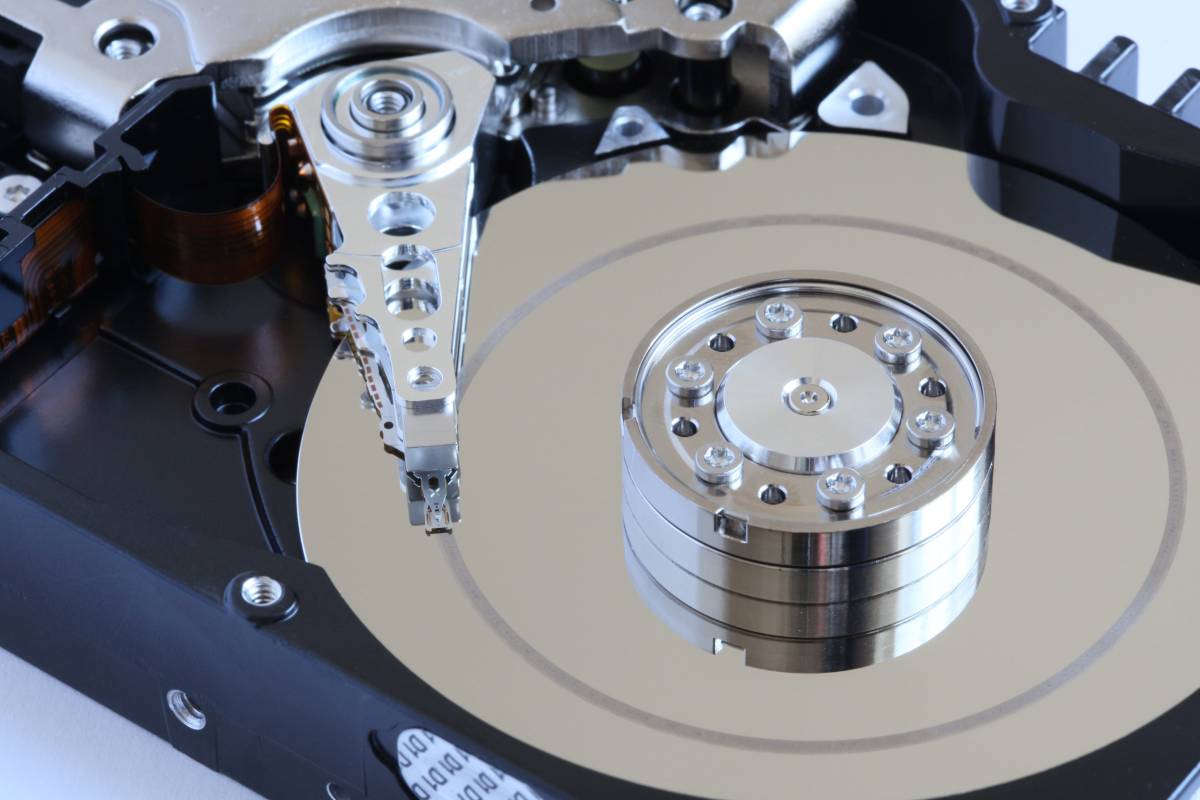
Tap a numbered part, or arrow-key through them
Read/write headsPart 1, the fragile one
What it does
A stack of arms carries one tiny head per platter surface, flying on a cushion of air thinner than a fingerprint. They read the magnetic pattern and never touch the platter while the drive is healthy.
How it fails
Drops, wear and overheating damage the sliders. A damaged head cannot read, so the drive clicks as it searches, or scrapes the platter as it flies too low.
What it means for your data
Head failure is the most common physical fault we see and one of the most routine to fix: we source a matching donor head stack from our library, swap it on the clean-air bench and image the drive.
PlattersPart 2, your data
What it does
Rigid glass or aluminium discs coated in a magnetic layer only nanometres thick. Every file you own is a pattern of magnetic domains on these surfaces.
How it fails
A head crash scratches or strips the coating. A scratch through the coating is the one damage that is permanent: the data in that ring is gone, and the debris damages any new heads that fly over it.
What it means for your data
Most platters we see are untouched. When they are scratched we map the damage, keep the heads away from it and image everything around it, which is usually the large majority of the drive.
Spindle motorPart 3, the engine
What it does
A fluid-bearing motor spins the platter stack at 5,400 or 7,200 rpm, sometimes 10,000 or 15,000 on enterprise drives, with almost no wobble.
How it fails
A hard knock or a fall seizes the bearing. Stiction, where heads stick to the platter, stalls the motor. Either way the drive buzzes or beeps and never reaches speed.
What it means for your data
Seized motors on modern drives mean a platter transplant into a donor chassis, one of the most delicate jobs in the lab. Stiction is simpler: lift the heads, replace them, image.
Actuator and voice coilPart 4, the muscle
What it does
A powerful magnet and a coil swing the whole head stack across the platter in milliseconds. The flexible ribbon beside it carries the head signals to the preamp chip.
How it fails
Impact can shift the magnet or crack the preamp. A failed preamp looks like a head failure from outside: the drive clicks, or spins and does nothing.
What it means for your data
Preamp and actuator faults are solved with the same donor head stack swap, because the preamp lives on the head assembly. Diagnosis tells us which it is before any parts are ordered.
Circuit board (PCB)Part 5, underneath
What it does
The board on the underside runs the motor, drives the heads and talks to your computer. A small ROM chip on it holds calibration data unique to this exact drive.
How it fails
Power surges, wrong adaptors and liquid short the board. The classic symptom is a drive that is completely dead: no spin, no sound.
What it means for your data
We repair the board or transfer the ROM chip to a matching donor board. Swapping a board without moving the ROM is the most common DIY mistake we undo.
Firmware and service areaPart 6, the hidden one
What it does
Reserved tracks near the centre of the platter hold the drive’s own operating system: defect lists, translator tables and adaptive settings the drive needs before it can find a single file.
How it fails
A corrupt module makes the drive report 0 bytes, the wrong model, or nothing. Seagate, Western Digital and Toshiba families each have well known firmware failure patterns.
What it means for your data
Firmware repair on the PC-3000 rebuilds or patches the broken modules so the drive can translate addresses again. It is invisible from outside and impossible with software.
Is my hard drive failing?
How to check hard drive health before it fails.
Read the SMART attributes with a free tool (CrystalDiskInfo on Windows, DriveDx or smartmontools on a Mac) and tick what you see, plus anything the drive is doing. The verdict follows the same rules we apply on the bench. If the drive is already making noise, skip this and switch it off.
Tick everything that applies
SMART values are on the tool’s main screen; the attribute codes are in brackets.
Verdict
Tick a box to get a verdict
Nothing ticked yet. A drive with zero pending, zero uncorrectable and a stable reallocated count, that reads at normal speed and makes no new noise, is healthy. Back it up anyway; every drive fails eventually.
Start a free diagnosticSMART is a self-report from the drive and a drive can fail with a clean report, especially after a drop or a surge. Rising counts between two readings a day apart matter more than any single number. Attribute names follow the common SMART tables published by the drive makers.
Two different jobs
Hard drive repair or hard drive data recovery?
People search for hard drive repair near me when what they need is their files. The two are not the same job, and knowing the difference saves money and data.
Aims to put the drive back into service.
On a modern drive that is rarely worth doing: a head stack that has failed once will fail again, and a drive with bad sectors is a drive on its way out. Computer repair shops offering hard drive repairs usually mean a software scan, a reinstall or a replacement drive.
- A repaired drive is never as reliable as a new one
- Repair attempts write to the drive, which can overwrite your files
- Nobody can repair a scratched platter, and nobody should try
Aims to get your files back, and treats the drive as disposable.
We repair the drive only as far as needed to image it once, using donor heads, boards and firmware patches that are not meant to last. Then your data is verified, delivered on new media, and the tired drive is retired.
- Nothing is written to your original drive, ever
- Work happens on the image, so a failed attempt costs nothing
- You get your files, a file list, and the original drive back
09 Library
Look up your drive. Find the right guide.
Brands and their bench notes, every form factor, the guide for each fault, and the terms you will hear from us or from anyone else you get a quote from.
Every make, every model
Hard drive brands we recover.
Every brand fails in its own way, and our donor library and firmware tooling are organised around those families. The bench notes below are the things worth knowing before you send a drive in.

Seagate
Barracuda, IronWolf, Expansion, Backup Plus, One TouchExpansion, Backup Plus, One Touch and internal Seagate drives: clicking, detection problems, deleted files and model-specific firmware recovery. Keep the original enclosure and electronics with the drive.
Seagate recovery guide →
Western Digital
Blue, Black, Red, My Passport, My Book, ElementsMy Passport and My Book externals encrypt data on the bridge board even with no password set. Keep the enclosure and board together; we need them.
All brands we recover →
Toshiba
Canvio, P300, N300, laptop 2.5 inch drivesVery common in laptops. Head failures and stiction on 2.5 inch models are routine donor swaps.
All brands we recover →
HGST / Hitachi
Deskstar, Travelstar, UltrastarRobust drives with a firmware architecture of their own. Firmware and head work both well supported on the PC-3000.
All brands we recover →
Samsung
Spinpoint, M3 and M2 portablesOlder Spinpoint drives and the Seagate-era Samsung portables. Donor parts are still in our library.
All brands we recover →
LaCie
Rugged, d2, Porsche DesignSeagate drives inside premium enclosures. The Rugged range survives drops better than its drive does; the drive is what we recover.
All brands we recover →
G-Technology
G-Drive, G-RAID, ArmorATDCreative professionals’ drives, often full of video projects. WD and HGST drives inside, handled the same way.
All brands we recover →
Buffalo
DriveStation, MiniStation, LinkStationConsumer externals plus single-bay NAS units. LinkStation volumes use Linux file systems we reconstruct in the lab.
All brands we recover →
Maxtor
OneTouch, DiamondMax, M3 portableLegacy desktop drives and the Seagate-made Maxtor externals. Older drives need older donor parts, which we keep.
All brands we recover →
Fujitsu
MHV, MHW, MHZ laptop drivesCommon in laptops from the 2000s. Still recoverable, still in the donor library.
All brands we recover →
Iomega
Prestige, eGo, Zip-era externalsOlder externals with drives from several makers inside. We identify the drive and treat it accordingly.
All brands we recover →
Verbatim
Store ’n’ Go, Store ’n’ SaveBudget externals with Toshiba or Seagate drives inside. Enclosure and bridge boards are often the only fault.
All brands we recover →Every form factor
Internal, external, laptop, desktop, Mac, NAS and enterprise drives.
The mechanism inside is the same. What changes is the enclosure, the interface and the file system, and each has its own page.
Desktop 3.5 inch drives
Internal SATA and older IDE drives from PCs and iMacs. Higher capacities, more platters, more heads to swap.
Laptop 2.5 inch drives
Thin drives with two or three heads and a habit of stiction after a drop. Laptop data recovery starts with the drive, not the laptop.
External and portable drives
Seagate Expansion, WD My Passport, Toshiba Canvio, LaCie Rugged. External hard drive recovery has one extra step: the USB bridge board.
Mac and Fusion drives
iMac and older MacBook hard drives, APFS and HFS+ volumes, Fusion Drive pairs that must be reassembled with their SSD half.
NAS and RAID member drives
Single drives pulled from Synology, QNAP and WD units, or whole arrays. The drive is imaged, then the array is rebuilt in software.
SAS and enterprise drives
10K and 15K rpm SAS drives from servers, 520-byte sector formats and T10 protection. Imaged with SAS-capable hardware.
What it is
Internal SATA and older IDE drives from PCs and iMacs. Higher capacities, more platters, more heads to swap. The mechanism is the same as every other hard drive: platters, heads, a spindle motor, a circuit board and firmware.
How it usually fails
Clicking from a failed head stack, a dead circuit board after a power surge, firmware that stops the drive being detected, and bad sectors that make copies crawl. Each has its own symptom panel at the top of this page.
What to send
The bare drive is fine. Note the computer it came from, what happened just before, and anything already tried. If it is a boot drive with deleted files, do not start Windows or macOS from it again.
Where it usually lands
Deleted files on a healthy drive are Level 1 work. Firmware and board repair and head swaps on common families are Level 3. Platter damage, seized motors and multi-fault drives are Level 4.
What it is
Thin drives with two or three heads and a habit of stiction after a drop. Laptop data recovery starts with the drive, not the laptop.
How it usually fails
A beep or buzz without spinning up is stiction: the heads have stuck to the platter surface and the motor cannot pull them free. A drop while running adds head damage. Toshiba, HGST and Seagate 2.5 inch drives are routine donor swaps.
What to send
Ask before removing the drive from the laptop. Send it flat, label side up, with the laptop model noted. If it beeps, do not tap, shake or spin it by hand.
Where it usually lands
Stiction and head swaps are Level 3 to 4 work, with a fixed upfront fee agreed after the free diagnostic. Deleted files on a healthy laptop drive stay at Level 1.
What it is
Seagate Expansion and Backup Plus, WD My Passport and My Book, Toshiba Canvio, LaCie Rugged, G-Drive and every other portable or desktop external. Inside is an ordinary 2.5 or 3.5 inch drive behind a USB bridge board.
How it usually fails
The bridge board or the power adaptor is often the only fault, which is one of the better outcomes. Drops bring head damage. My Passport and My Book externals encrypt data on the bridge board even with no password set.
What to send
The enclosure, the cable and the power adaptor with the drive; we need them. Do not force the enclosure open, and check one other cable or port before deciding a drive is dead.
Where it usually lands
A dead enclosure sits in Level 2 to 4 depending on what the surge reached. A dropped portable is Level 3 to 4.
What it is
iMac and older MacBook hard drives, APFS and HFS+ volumes, and Fusion Drive pairs that must be reassembled with their SSD half.
How it usually fails
iMac drives arrive slow and hanging with read errors as often as dead. One 1 TB Western Digital iMac drive was imaged on the PC-3000, good sectors first, until more than 99% of it was captured and the photo library came back intact.
What to send
The drive on its own is enough for an iMac or MacBook, but tell us the model. A Fusion pair needs both halves, the hard drive and the SSD blade, before the volume can be put back together.
Where it usually lands
Slow drives with bad sectors are usually Level 2 with no upfront fee. Mechanical faults follow the same bands as any other drive.
What it is
Single drives pulled from Synology, QNAP, WD and Buffalo units, or whole arrays. LinkStation and similar volumes use Linux file systems we reconstruct in the lab.
What to do first
Stop and call before anything else. Keep every member drive, note which bay each came from, and do not rebuild, re-initialise or re-add drives to the array.
What to send
All the drives from the unit, labelled by bay, and the NAS model or the server’s RAID details. Each drive is diagnosed and imaged on its own, then the array is rebuilt in software from the images.
What it is
10K and 15K rpm SAS drives from servers, 520-byte sector formats and T10 protection. Imaged with SAS-capable hardware.
How it usually fails
Enterprise drives whine normally at 10,000 or 15,000 rpm. A new whine with slow reads points to a bearing wearing out, and head and firmware faults follow the same patterns as consumer drives.
What to send
The drive with its caddy or sled if it has one, the server or array details, and the order of the drives if it came from a set.
What killed it
How hard drives arrive at our bench.
Nine ways a hard drive ends up needing a laboratory, and what each one honestly means for your data. Most have their own guide.
Clicking or knocking
The most common physical arrival.
The heads cannot read the servo tracks and the drive keeps retrying. Cause is almost always the head stack. Fix is a donor head swap on the clean-air bench, then imaging.
Strong odds if it stops being powered on now.
Clicking drive page →Beeping or not spinning
Portable 2.5 inch drives, mostly.
Stiction or a seized spindle motor. The heads are stuck to the platter or the bearing has locked. The motor strains, beeps and gives up.
Strong odds with heads and motor work; platters are usually untouched.
Physical damage page →Dead, no power
Surges, wrong adaptors, liquid.
The circuit board or the USB bridge has failed. Platters and heads have not been stressed at all. The board is repaired or the ROM is transferred to a donor board.
Excellent odds, and usually the quickest physical job in the lab.
Start a free diagnostic →Not detected or wrong capacity
Firmware, the invisible fault.
The service area modules are corrupt, so the drive cannot translate addresses. It spins normally and reports 0 bytes, a wrong name or nothing at all.
Strong odds with PC-3000 firmware repair; software cannot touch this.
Start a free diagnostic →Bad sectors, slow, I/O errors
Weak heads and a tired platter.
Patches of the surface no longer read cleanly. Copies crawl and the computer hangs on retries. Hardware imaging reads good sectors first and returns for the hard ones.
Very good odds when the drive stops being used straight away.
Logical damage page →Deleted, formatted or reinstalled
A healthy drive, a lost map.
The file system forgot where the files live. Data stays on the platters until it is overwritten, so what happens after the deletion decides everything.
The highest success category we see, if the drive is not used afterwards.
Formatted drive page →Dropped or head crash
The clock is running.
Damaged heads on a scratched platter strip the magnetic layer with every spin. Recovery means mapping the scratch and imaging around it with fresh heads.
Good odds if it is never powered on again; poor if it has been run for hours.
Physical damage page →Water, fire, smoke, flood
Insurance jobs and house fires.
Residue and corrosion attack the board and contacts; heat can warp platters. The drive is cleaned, opened on the clean-air bench and imaged with replacement parts.
Fair to strong odds for water; fire depends on how hot the platters got.
Physical damage page →Encrypted or locked
BitLocker, FileVault, WD passwords.
The drive is readable but the data is encrypted. With your key or password we decrypt the image; with hardware encryption on WD and Seagate externals the original bridge board matters.
Excellent odds when you hold the key. Nothing without it, and we say so.
Encrypted drive page →Speak bench
Hard drive recovery, translated.
The terms you will hear from us, and from anyone else you get a quote from, in plain English.
- Head crash
- Physical contact between a read/write head and the spinning platter. Scratches the magnetic coating and creates debris; the one failure that can destroy data permanently.
- Stiction
- Heads stuck to the platter surface, usually after a drop or a long idle period. The motor cannot spin and the drive beeps. Fixed by lifting and replacing the heads.
- Firmware
- The drive’s own operating system, stored in reserved tracks called the service area and in a ROM chip on the board. Corrupt firmware makes a healthy drive undetectable.
- Service area
- The hidden inner tracks of the platter that hold firmware modules, defect lists and translator tables. Inaccessible to any software; repaired with the PC-3000.
- Donor drive
- An identical or closely matched drive sacrificed for its head stack, motor or circuit board. Matching model, firmware family and often manufacturing date matters.
- Imaging
- Copying every readable sector of a failing drive to healthy storage with a hardware imager, so recovery work happens on the copy and the original is never written to.
- Bad sector
- A patch of platter surface the heads can no longer read reliably. A few are normal; thousands mean weak heads or coating damage and a drive on its way out.
- PCB and ROM
- The printed circuit board on the underside of the drive, and the small chip on it holding calibration data unique to that drive. Boards cannot be swapped without moving the ROM.
- Clean-air bench
- A portable ISO Class 5 rated laminar-flow enclosure in which drives are opened. It keeps airborne particles away from the platters during head swaps.
Sources and further reading
- Backblaze Drive Stats, ongoing failure data across hundreds of thousands of hard drives
- Schroeder and Gibson, Disk failures in the real world, USENIX FAST 2007
- ACE Laboratory, makers of the PC-3000 data recovery platform
- Seagate, data recovery services and warranty guidance
- Western Digital, data recovery partner program
- ISO 14644-1, the air cleanliness classification behind Class 5 clean-air equipment
Ready when you are
Your files are worth a phone call
before the next power-on.
Free diagnostic, fixed quote, proof before payment. If the drive is not recoverable, you get that answer honestly, for free.